

ScalapayEarly access

Gain access to shoppers on Scalapay
Scalapay is the leading buy now, pay later platform in southern Europe across Italy, Spain, France, and Portugal, transforming the way over 11 million users. It allows users to split their payment into 3 or 4 instalments with a secure and fast checkout. Customers can choose to use their debit, credit, or prepaid cards as a funding source for their Scalapay account.
Payment method properties
| Features | Scalapay |
|---|---|
| Payment type | Buy Now Pay Later |
| Available for businesses registered in | HK, AU, SG, UK, EU, US, MY, NZ, JP |
| Onboarding time | Instant |
| Shopper regions (typically used by payers from) | IT, FR, ES, PT |
| Presentment currencies | EUR |
| Settlement currencies | EUR Or in your default settlement currency |
| Settlement schedule | T + 4 business days |
| Minimum transaction amount | 5 EUR |
| Maximum transaction amount | 4,999 EUR |
| Checkout session timeout | 8 minutes |
| Recurring payments | |
| Refunds | Full and partial refunds |
| Disputes (chargebacks) | |
| Placing a hold (delayed/manual capture) | up to 7 days after the transaction date |
| Descriptor (what the payer will see in their transaction history) | Your registered business name |
Choose the integration method that best suits your needs
Airwallex has built a range of client-side integration methods that allow you to manage your UI, minimize your implementation effort, and allow you to get to market quickly.
| Online payments via your own website/app | Online payments via ecommerce plugins | Payment links & Invoice Integrations |
|---|---|---|
| Hosted Payment Page Drop-in Element Mobile SDK Native API Subscription APIs | Shopify WooCommerce SHOPLINE Shoplazza Magento BigCommerce Salesforce Commerce Cloud PrestaShop | Payment Links Xero Invoice |
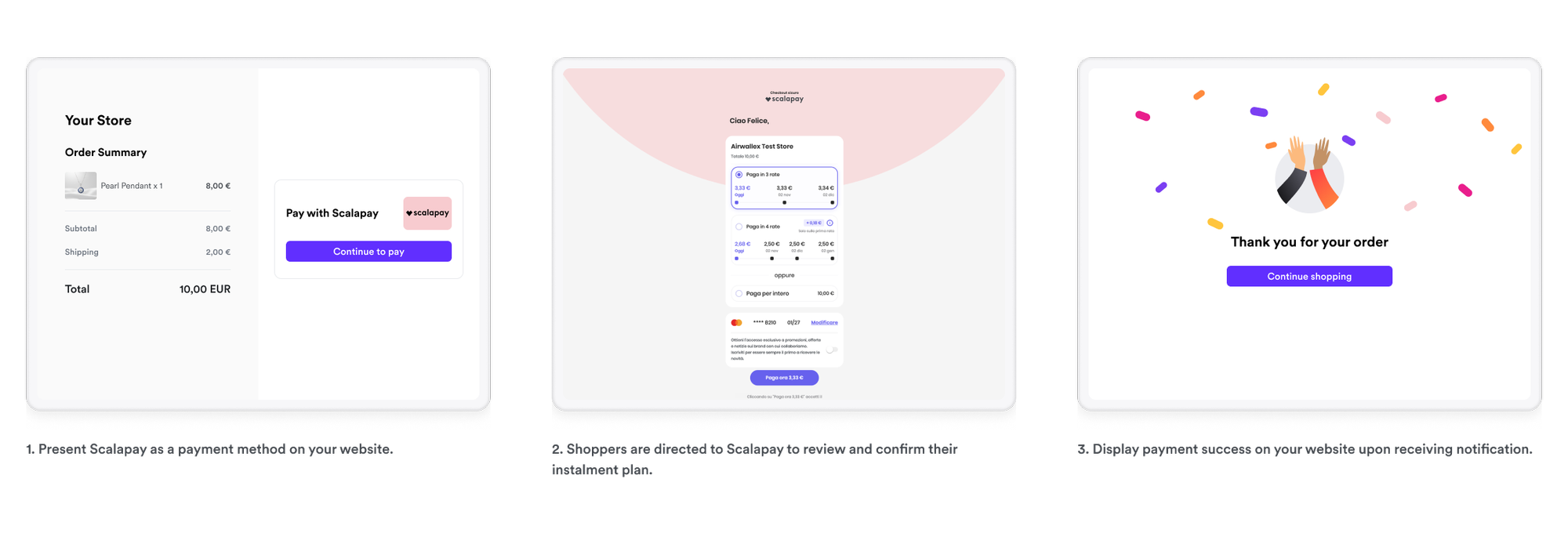
Shopper experience
- Present Scalapay as a payment method on your website.
- Shoppers are directed to Scalapay to review and confirm their instalment plan.
- Display payment success on your website upon receiving notification.
Set up Scalapay promotional messaging
Show shoppers the option to pay in instalments before they reach checkout, which can help improve conversion by surfacing Scalapay's payment plans earlier in the shopping journey.
First, add the Scalapay widget script to the <head> of your product, cart, and checkout pages.
1<script type="module" src="https://cdn.scalapay.com/widget/scalapay-widget-loader.js?version=V5"></script>
Then add a <scalapay-widget> element wherever you want the widget to appear, referencing the CSS selector of the price it should calculate instalments from. Scalapay recommends displaying the widget at three touch points in the purchase process.
Place the widget below the product price.
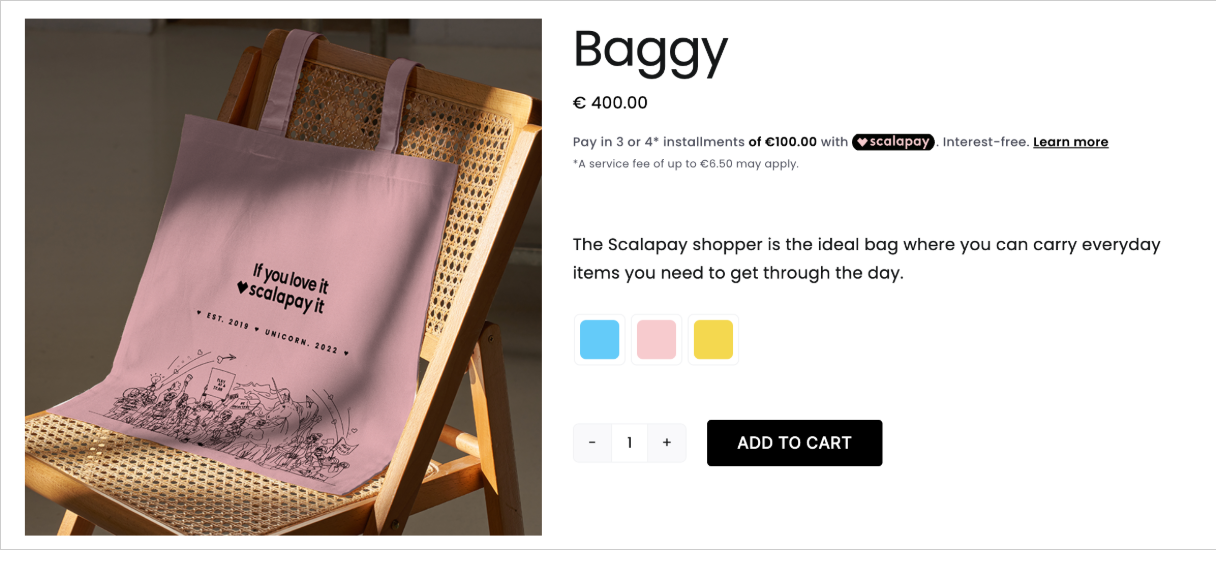
1<div id="price-container">€ 100.00</div>2<scalapay-widget3 amount-selectors='["#price-container"]'4 merchant-token="{{MERCHANT_TOKEN}}"5></scalapay-widget>
Place the widget below the cart total.
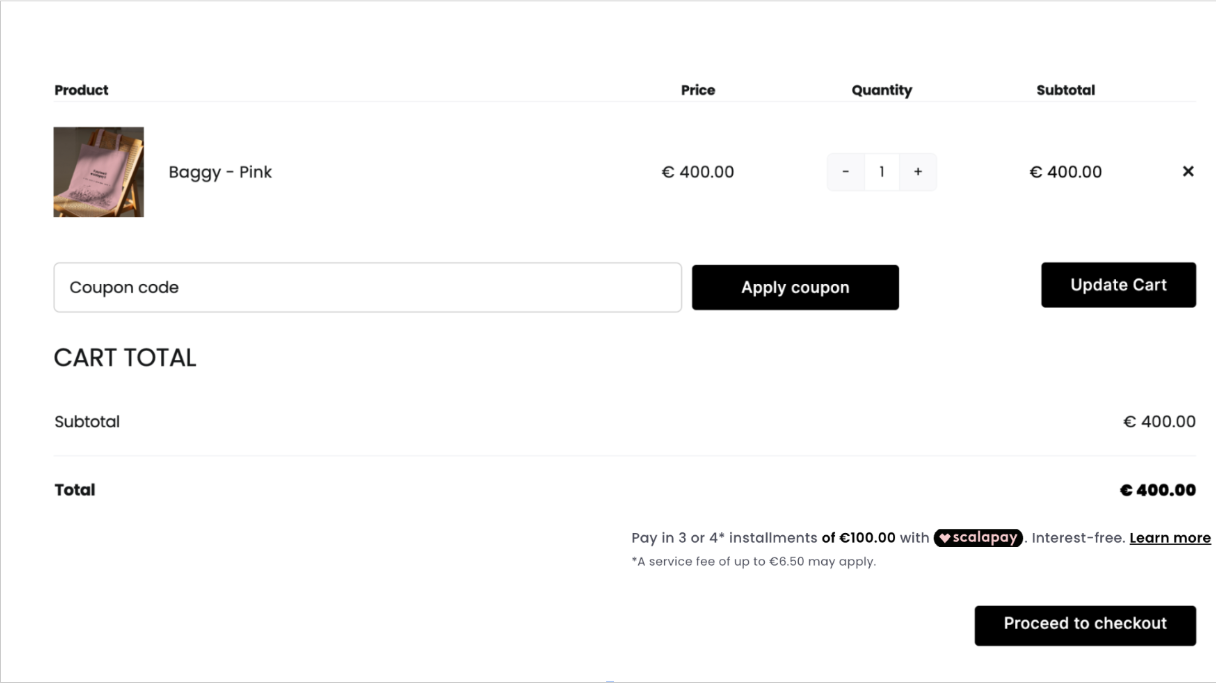
1<div id="price-container">€ 100.00</div>2<scalapay-widget3 amount-selectors='["#price-container"]'4 merchant-token="{{MERCHANT_TOKEN}}"5></scalapay-widget>
Display Scalapay alongside your other payment methods at checkout by adding type="checkout" to the widget.

1<div id="price-container">€ 100.00</div>2<scalapay-widget3 type="checkout"4 amount-selectors='["#price-container"]'5 merchant-token="{{MERCHANT_TOKEN}}"6></scalapay-widget>
For widget customization options and more information, see Scalapay's custom integration widget installation guide and best practice guidelines.