

Accept Octopus on Airwallex POS
Reach out to your Airwallex account manager or [email protected] if you'd like to accept Octopus payments on POS.
System requirements
Before accepting Octopus payments through the Airwallex POS, ensure the following version requirements are met:
- Airwallex POS App: Version 1.7.0 (build 656) or later
- Terminal firmware: Version Y13.4.6 or later
- To find your terminal's build number, go to Settings > About device > Build number.
Transaction flow
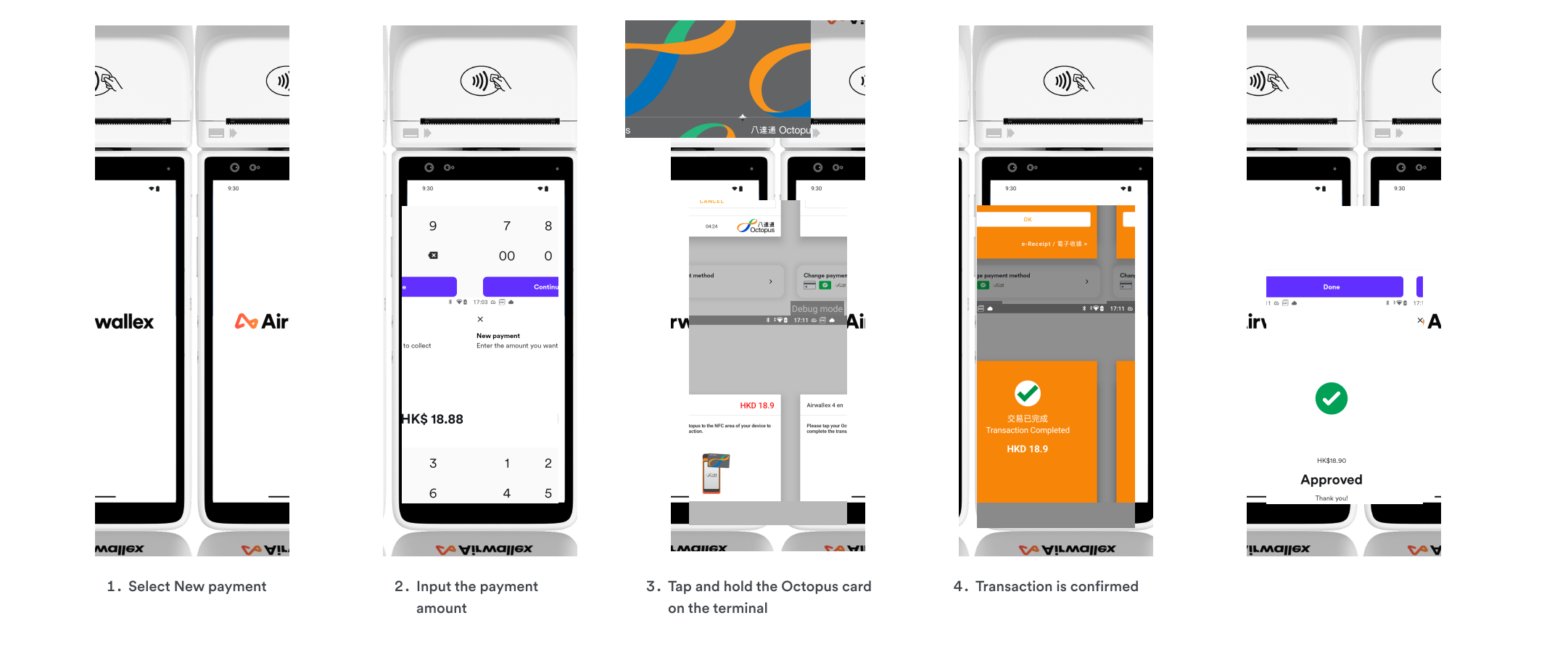
Shoppers can complete Octopus payments by tapping their Octopus card on the Airwallex POS terminal. The transaction is processed instantly, and payment confirmation is displayed on the terminal screen.
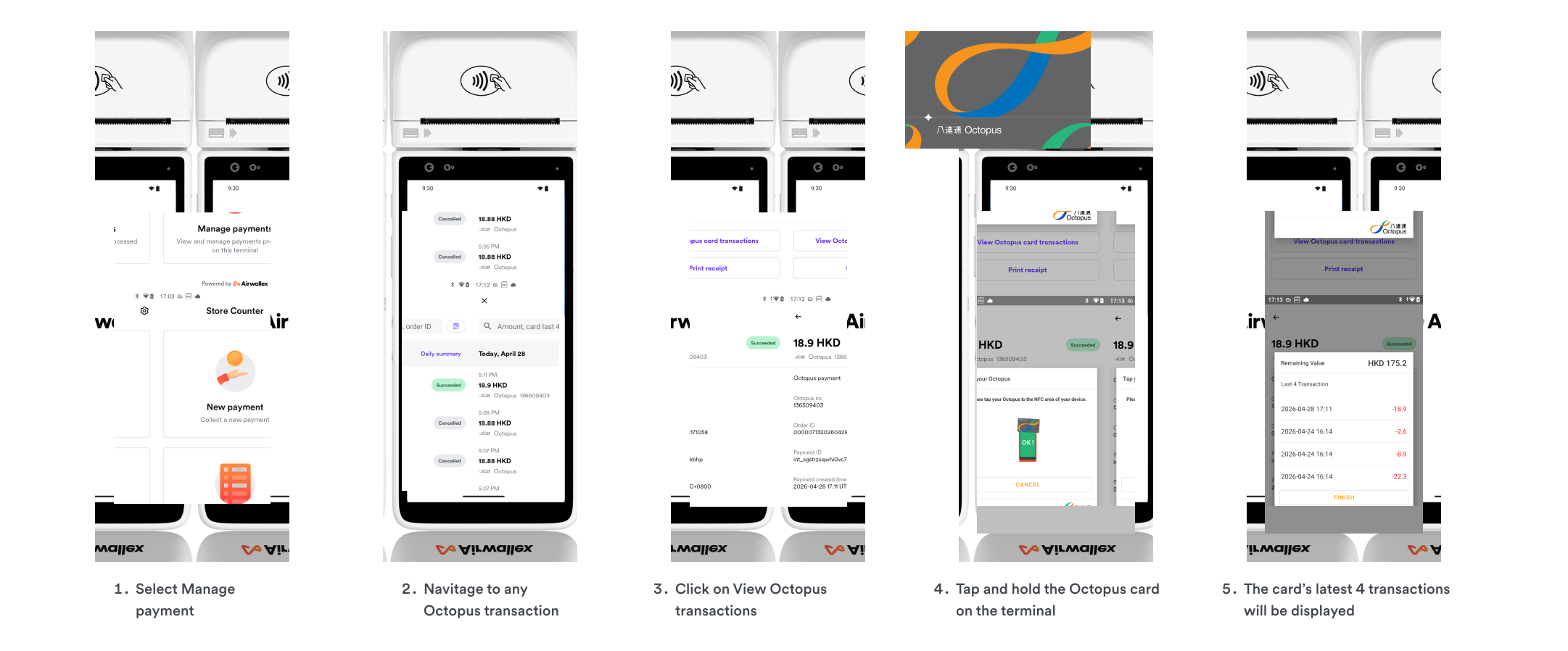
Checking value of Octopus card
Merchants can check a shopper's remaining Octopus card balance and view the card's last 4 transactions. This is useful when resolving disputes about a transaction status.
Was this page helpful?