
Spreedly

Spreedly is a PCI-DSS compliant payment orchestrator that allows you to securely capture credit cards, store them safely in a vault, and then use them with 100+ payment gateways.
Supported Payment Methods: Visa, Mastercard, American Express, JCB, UnionPay, Discover, Diners Club, Apple Pay and Google Pay.
Add Airwallex as the payment gateway
You can add Airwallex as the payment gateway to your Spreedly account to process card transactions. Follow these steps to complete your configuration:
- Create an Airwallex account by submitting your business information via the online sign up form or by contacting us directly
- Activate the relevant payment methods you wish to activate. Currently, the plugin only supports accepting payments through cards
- In the Airwallex web app > Account > Developer page, copy your Client ID, then select Create restricted API key. Enter a name, select the Payment Acceptance and Finance access scopes, then select Create API Key and copy the scoped API key. For more information, see Scoped API keys
- Contact your Airwallex Account Manager to request
SKIP_3DS(bypass Airwallex 3DS) for Spreedly. Include that you will use Spreedly 3DS. This is required for successful transactions. If you want 3DS, integrate with Spreedly's 3DS solution. See Spreedly's 3DS2 integration guide. - Add Airwallex as a payment gateway by making the "Create Gateway" API call. A sample Postman collection is available for you to help you set up these API requests easily. Please import the collection into your Postman and replace the relevant fields with your own credentials For more details on the Airwallex/Spreedly integration, please refer to Spreedly doc
- Add Device fingerprinting script to your shopping site.
- Load the Airwallex JavaScript on your checkout page to collect device data by following Step 1 and Step 2 in this integration guide where data-order-session-id value is a unique value.
- Pass this
data-order-session-idvalue to Spreedly in thedevice_idfield as part ofgateway_specific_fieldin the Authorization and Purchase transactions. For more details, please refer to the Spreedly doc.
3DS Compatibility
Compatibility is limited to Spreedly 3DS. Contact your Airwallex Account Manager to request SKIP_3DS (bypass Airwallex 3DS) for this integration. Include that you will use Spreedly 3DS.
Test your integration
You can test your integration via Postman or by posting API calls yourself
- Ensure that you are using a test gateway credential
- Perform relevant operations such as purchase, capture or authorisation depending on your checkout flow and shopper experience
Useful Links
- Spreedly's Airwallex Gateway Guide
- Spreedly's Testing Guide, Getting Started Guide
- Spreedly's Technical API reference documentation
- Spreedly Airwallex Postman Collection
- Spreedly's Public Postman collection
Refund
You should only initiate a refund via Spreedly refund API so as to keep the transaction status consistent in Airwallex, Spreedly and your own system.
If you initiate refunds via the Airwallex WebApp, you may encounter refund failure via Spreedly API for the transaction due to the status inconsistency between Airwallex and Spreedly system.
Settlement report and reconciliation
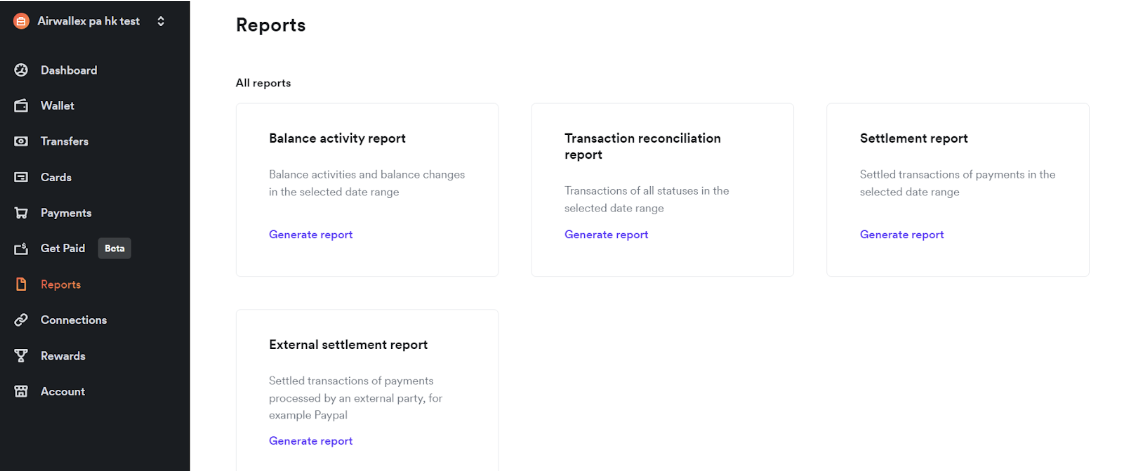
You can download the settlement reports for reconciliation from the web app > Reports page. See Settlement reports for more details.