

Fraud Attack Prevention
Learn how Airwallex AI fraud protection automatically detects and blocks card-testing attacks in real time, and how to review an attack and activate recommended safeguards.
Airwallex AI fraud protection monitors your payment activity and automatically detects and blocks fraud attacks in real time. When an attack is detected, you receive immediate notifications, a detailed analysis of the attack patterns, and recommended safeguards you can activate with one click.
What is a card-testing attack?
Card testing is a type of fraud attack where bad actors use stolen card details to make a large number of small transactions on a merchant's account in a short period of time. The goal is to verify which cards are valid before using them for larger fraudulent purchases elsewhere.
A typical card-testing attack looks like this:
- Hundreds or thousands of low-value transactions appear within minutes.
- The transactions share common patterns: identical amounts, similar card number ranges, or the same device fingerprint.
- Most of the payment attempts are declined, but the volume alone can generate scheme fees, inflate your fraud ratios, and disrupt normal transaction monitoring.
Card-testing attacks can affect any business that accepts online payments. Even if the transactions are blocked, the volume of attempts can push your account closer to card scheme fraud program thresholds (such as Visa's VAMP program), which carry financial penalties.
How Fraud Attack Prevention works
Fraud Attack Prevention runs continuously in the background. You do not need to enable or configure it. When the system detects an attack, it follows this sequence:
- Detection and blocking: The AI identifies suspicious activity and begins blocking higher-risk payment attempts automatically.
- Notification: You receive an email alert and an in-portal banner notifying you that an attack has been detected and your account is protected.
- Analysis: The AI analyzes the attack and surfaces the key patterns driving it.
- Recommendations: The system suggests temporary safeguards you can activate to further protect your account during the attack.
- Monitoring: You can track the attack in real time through the live dashboard.
- Resolution: When the attack ends, you receive a full summary report. All temporary safeguards are removed automatically and no permanent changes are made to your account.
Getting notified
When an attack is detected, you are notified in two ways.
Email notification
You will receive an email with the subject line "Suspected card-testing attack in progress. Your account is protected." The email confirms that Airwallex AI fraud protection is monitoring the activity and blocking higher-risk payment attempts. You may see more blocked or declined payments than usual while the attack continues.
The email includes a Review activity button that takes you directly to the attack summary in the portal.
Portal alert
When you log into the Airwallex portal and navigate to Payments > Risk, a banner appears at the top of the Fraud Prevention page:
AI fraud protection is currently blocking a suspected card-testing attack. We'll notify you via email once activity returns to normal.
Click Review activity to open the full attack summary.
Reviewing the attack summary
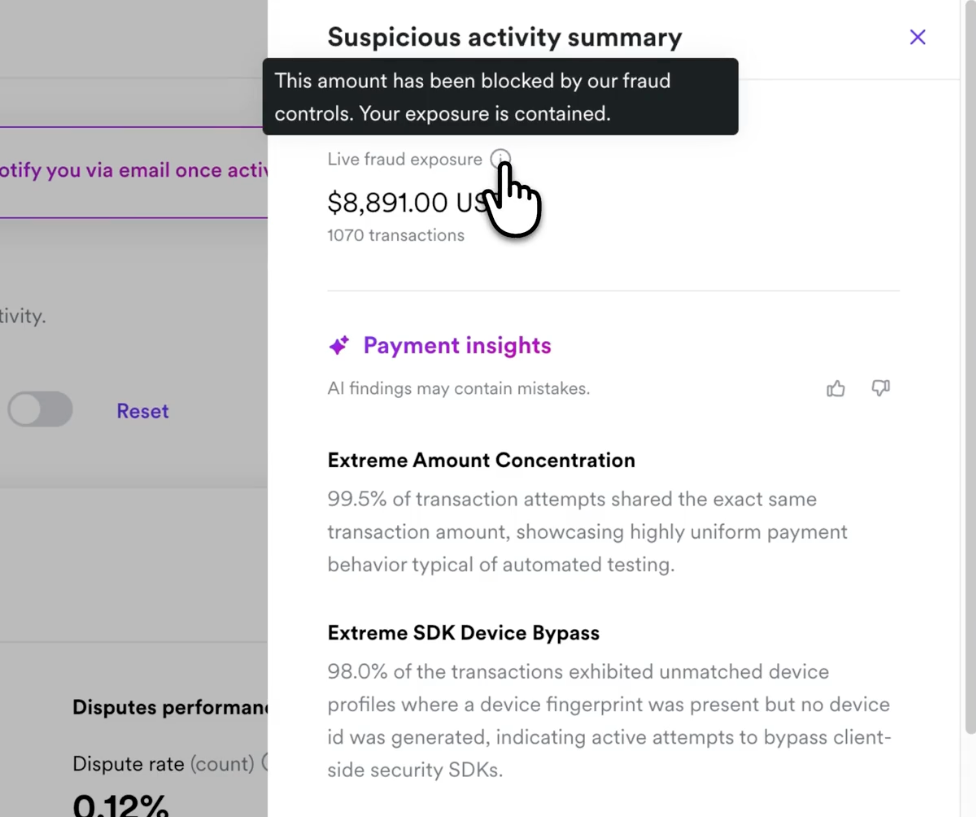
Clicking Review activity opens the Suspicious activity summary panel. This panel contains three sections: fraud exposure, AI-generated insights, and recommended actions.
Live fraud exposure
At the top of the panel, you see:
- Live fraud exposure — the total estimated value of suspicious transactions (for example, $8,891.00 USD).
- Transaction count — the number of suspicious transactions detected (for example, 1,070 transactions).
A tooltip confirms: "This amount has been blocked by our fraud controls. Your exposure is contained."
Payment insights
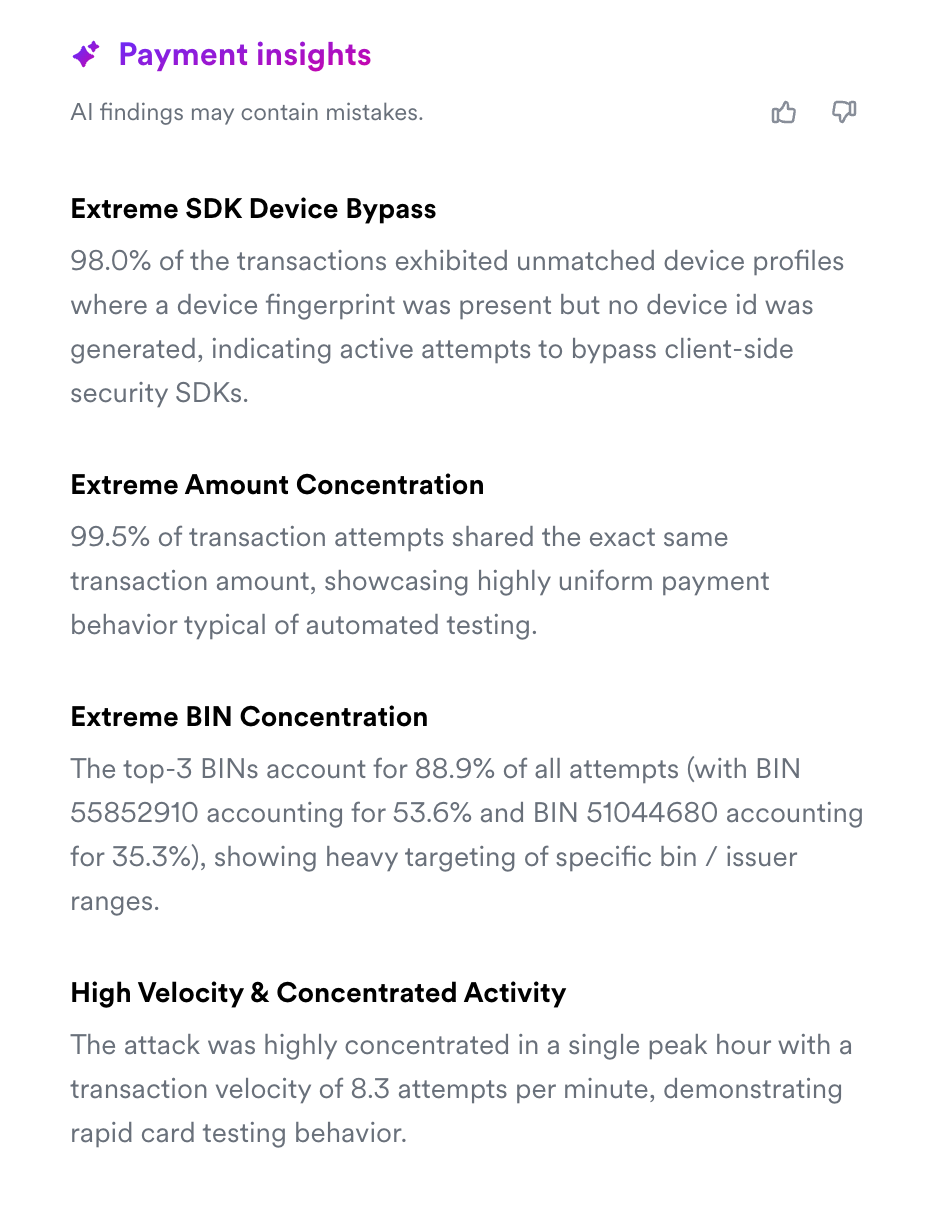
Below the exposure summary, the AI surfaces the key patterns it has identified in the attack. These insights are generated automatically and update as the attack unfolds.
Examples of patterns the AI may detect:
- Extreme amount concentration — a high percentage of transactions share the exact same amount, indicating automated testing behavior.
- Extreme SDK device bypass — transactions show unmatched device profiles where a device fingerprint is present but no device ID was generated, indicating attempts to bypass client-side security.
- Extreme BIN concentration — a small number of card BIN ranges account for the majority of attempts, showing heavy targeting of specific card issuers.
- High velocity and concentrated activity — transaction velocity spikes significantly above normal levels, with attempts concentrated in a short time window.
These are the types of signals a fraud team would normally spend hours piecing together. The AI compiles them automatically so you can understand the nature of the attack at a glance.
Activating temporary safeguards
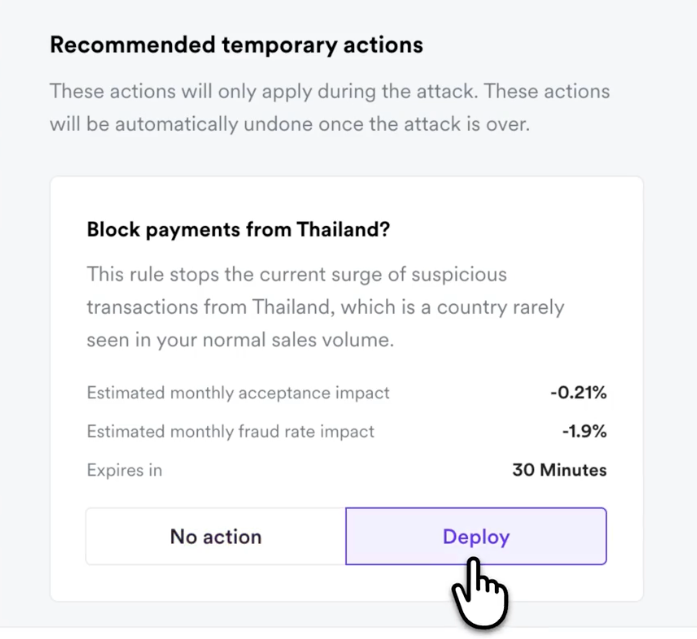
Below the payment insights, you will see a Recommended temporary actions section. These are targeted safeguards the AI has identified based on the specific attack patterns.
Each recommendation includes:
- A description of the action (for example, "Block this device?") and why it is relevant.
- Estimated monthly acceptance impact — the projected effect on your payment acceptance rate (for example, -0.21%).
- Estimated monthly fraud rate impact — the projected reduction in your fraud rate (for example, -1.9%).
- Expiry time — how long the safeguard will remain active (for example, 30 minutes).
For each recommendation, you can choose Deploy to activate the safeguard or No action to skip it.
All temporary safeguards are automatically removed once the attack ends. No permanent changes are made to your account settings.
When you have reviewed the recommendations, click Save to apply your selections.
Monitoring the attack
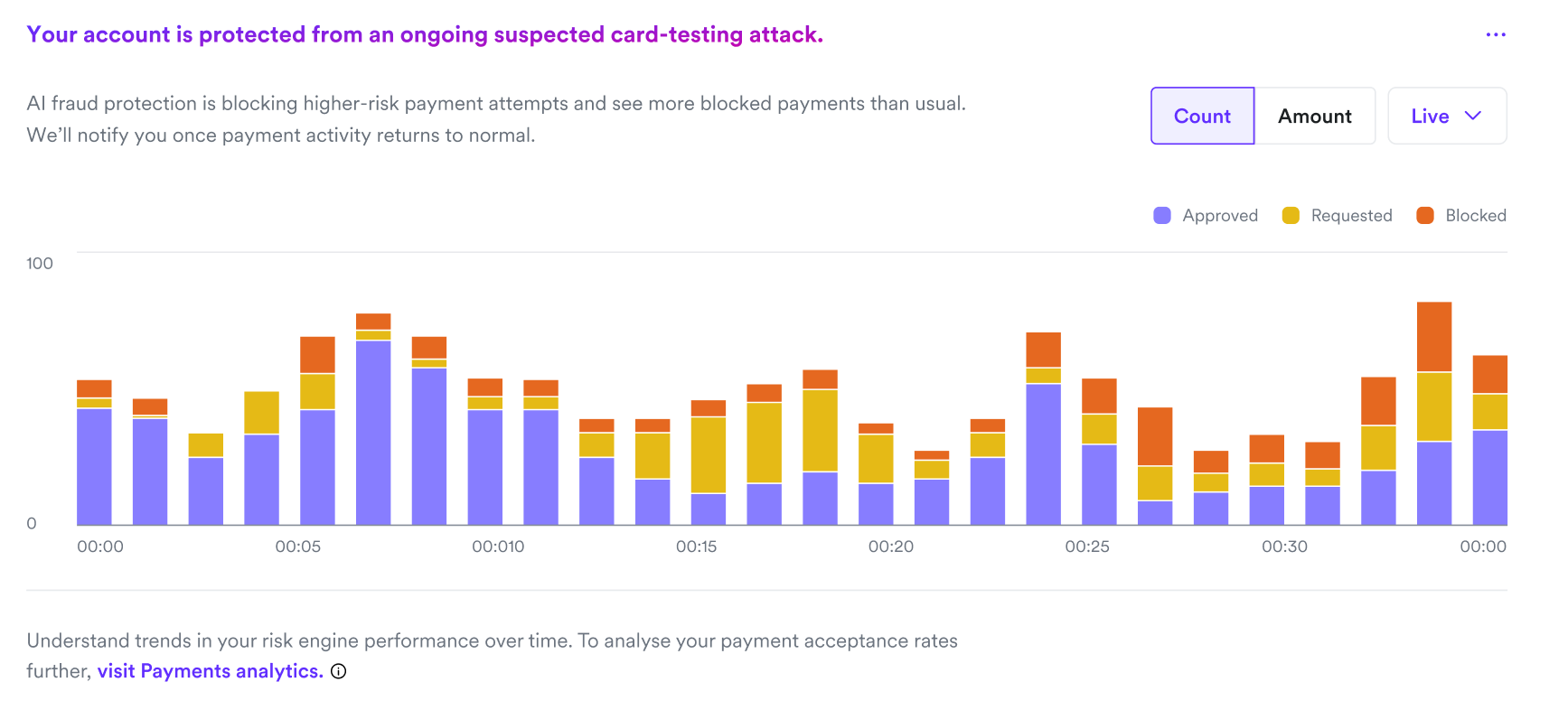
During an active attack, the Risk engine performance chart on your Fraud Prevention dashboard switches to Live view. This chart shows your transaction volume broken down by risk engine decision:
- Approved by risk engine — transactions that passed fraud checks.
- Requested 3DS — transactions sent to 3D Secure authentication.
- Blocked by risk engine — transactions blocked by fraud controls.
You can toggle between Count and Amount views, and switch between Live and Daily time ranges.
After the attack ends
When the attack ends, two things happen.
Post-attack email
You receive an email with the subject line "Unusual payment activity on [your account] has ended." This email includes:
- A summary of what was detected (attack patterns identified).
- What was blocked, for example, the number of suspicious attempts blocked and the amount of suspicious payment value prevented.
- Confirmation that no permanent changes were made to your account settings.
- Confirmation that all temporary measures have been removed.
No further action is required from you.
Updated portal banner
The Fraud Prevention dashboard banner updates to reflect the resolved state:
AI fraud protection blocked X suspicious payments over the last 24 hours. Your account is protected and we're actively monitoring to safeguard your payments.
You can click Review activity to view the full attack history.
Frequently asked questions
Do I need to enable Fraud Attack Prevention?
No. It runs automatically for all accounts. There is no setup or configuration required.
Will the protections affect my legitimate transactions?
The AI is designed to target attack traffic with minimal impact on genuine transactions. Each recommended safeguard shows the estimated impact on your acceptance rate so you can make an informed decision before activating it.
What happens to the temporary safeguards after the attack?
All temporary safeguards expire automatically once the attack ends. No permanent changes are made to your account settings or fraud rules.
Can I choose not to activate the recommended safeguards?
Yes. The recommendations are optional. You can select No action for any safeguard. The system will continue blocking suspicious transactions through its standard fraud controls regardless of whether you activate additional safeguards.
How quickly does the system detect an attack?
Detection happens in real time. You will receive an email and portal notification as soon as the system identifies a suspected card-testing attack.
Will blocked attack traffic affect my fraud ratios with the card schemes?
Blocked transactions help prevent fraudulent transactions from completing, which helps protect your fraud ratios. The temporary safeguards are specifically designed to reduce the volume of suspicious activity reaching the card schemes.