

Enable Local Payment Methods
Follow this guide to enable local payment methods like Klarna, Afterpay, Alipay, Dana, Gcash and Bank Transfer. For the full suite of compatible payment methods, please refer to the payment method overview
Requirements
- You must have a valid and activated Airwallex account
- The payment methods you wish to activate are enabled and activated in Airwallex
Standalone (Inline) Payment Method
Setup
- Navigate to your Airwallex payment settings under Magento admin. Stores > Sales > Payment Methods > Airwallex > Configure
- Go to the payment methods you wish to enable under Additional Payment Methods (Inline)
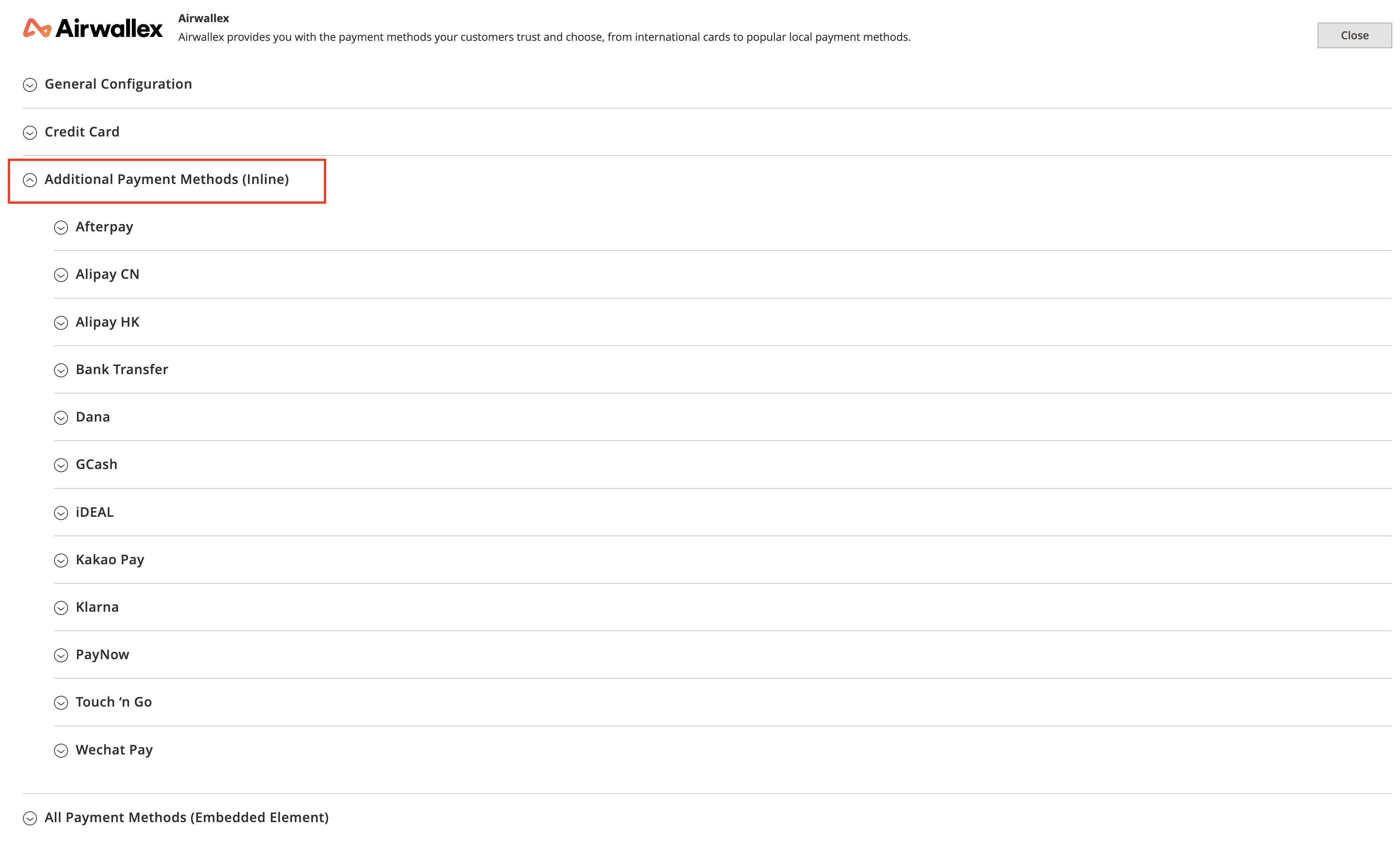
- Under the payment method you wish to enable you should be able to see the following options
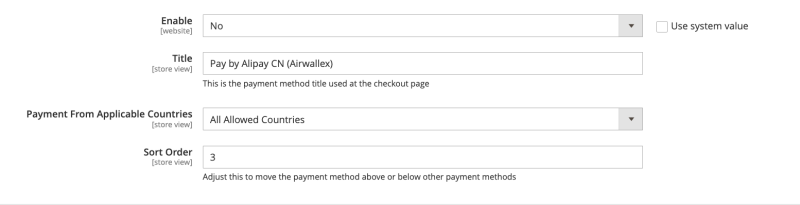
- Select Yes under Enable for the payment methods you wish to enable
- Customise the Title to your preference of what you wish to show to the shoppers on checkout
- If you wish to restrict countries which can use these payment methods, you can do so under Payment From Applicable Countries. This is optional
- Decide the order for which you want this payment method to show up under Sort Order
- Click Save to save your settings
Shopper Experience
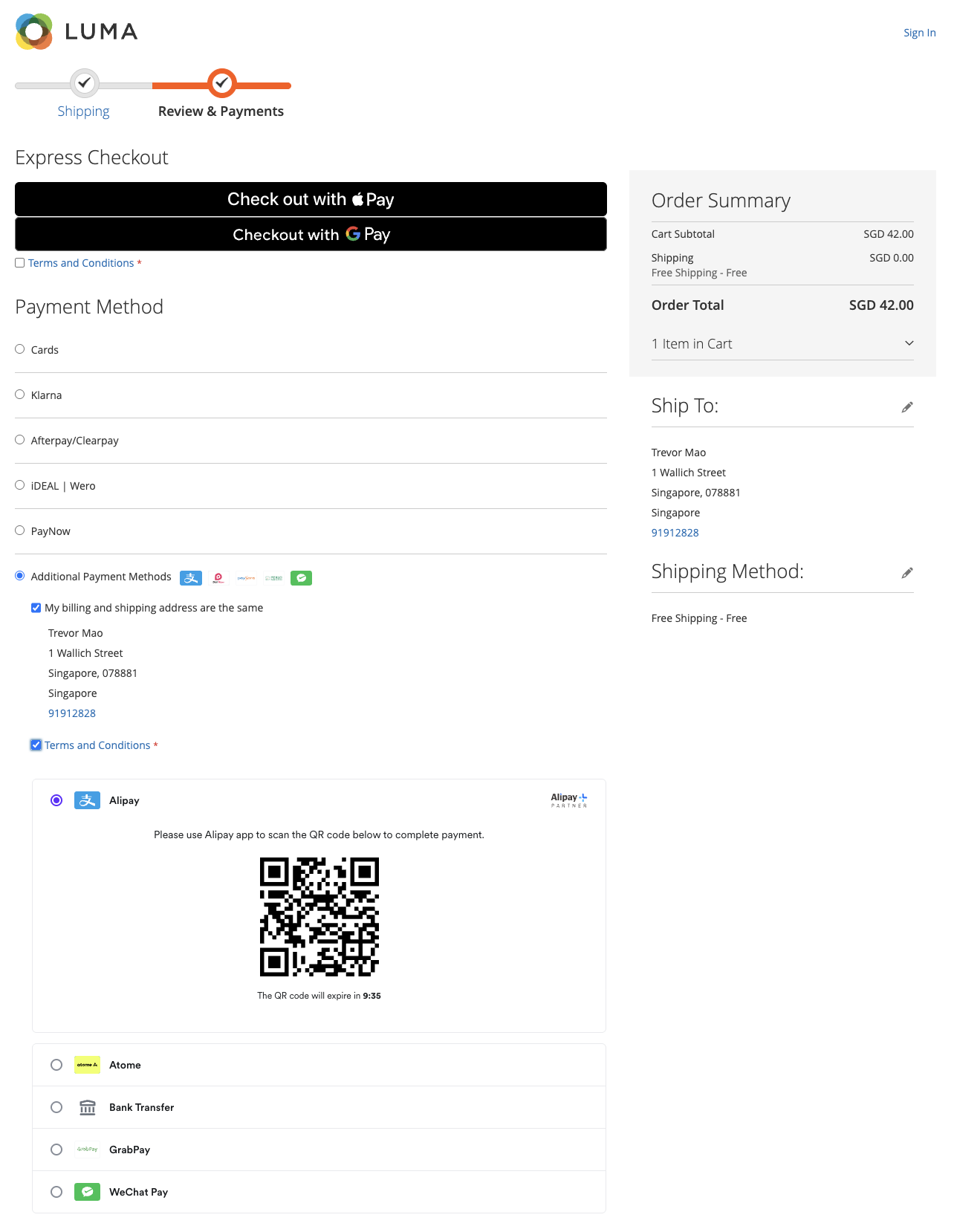
- Shoppers will be able to see the payment methods that you had enabled on the checkout page. (Some payment methods may not show up depending on the currency or country your shoppers are checking out from)
- They will then be able to confirm their billing address before clicking Confirm
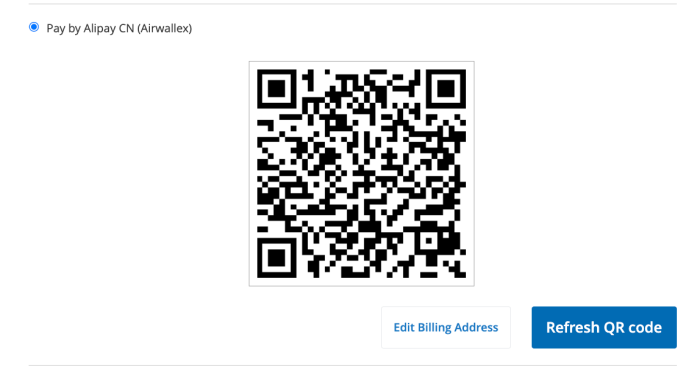
- Here they will either be redirected to the payment methods' site to finish checkout or be shown a QR code which they can use to complete payment
- For example here for Alipay after clicking Confirm they will be shown a QR code that they can use to checkout with
Standalone Payment Methods
All local payment methods will show up as individual payment methods on checkout once enabled, providing the most seamless experience for shoppers
All Payment Methods
Setup
- Navigate to your Airwallex payment settings under Magento admin. Stores > Sales > Payment Methods > Airwallex > Configure
- Go to the payment methods you wish to enable under All Payment Methods (Embedded Element)
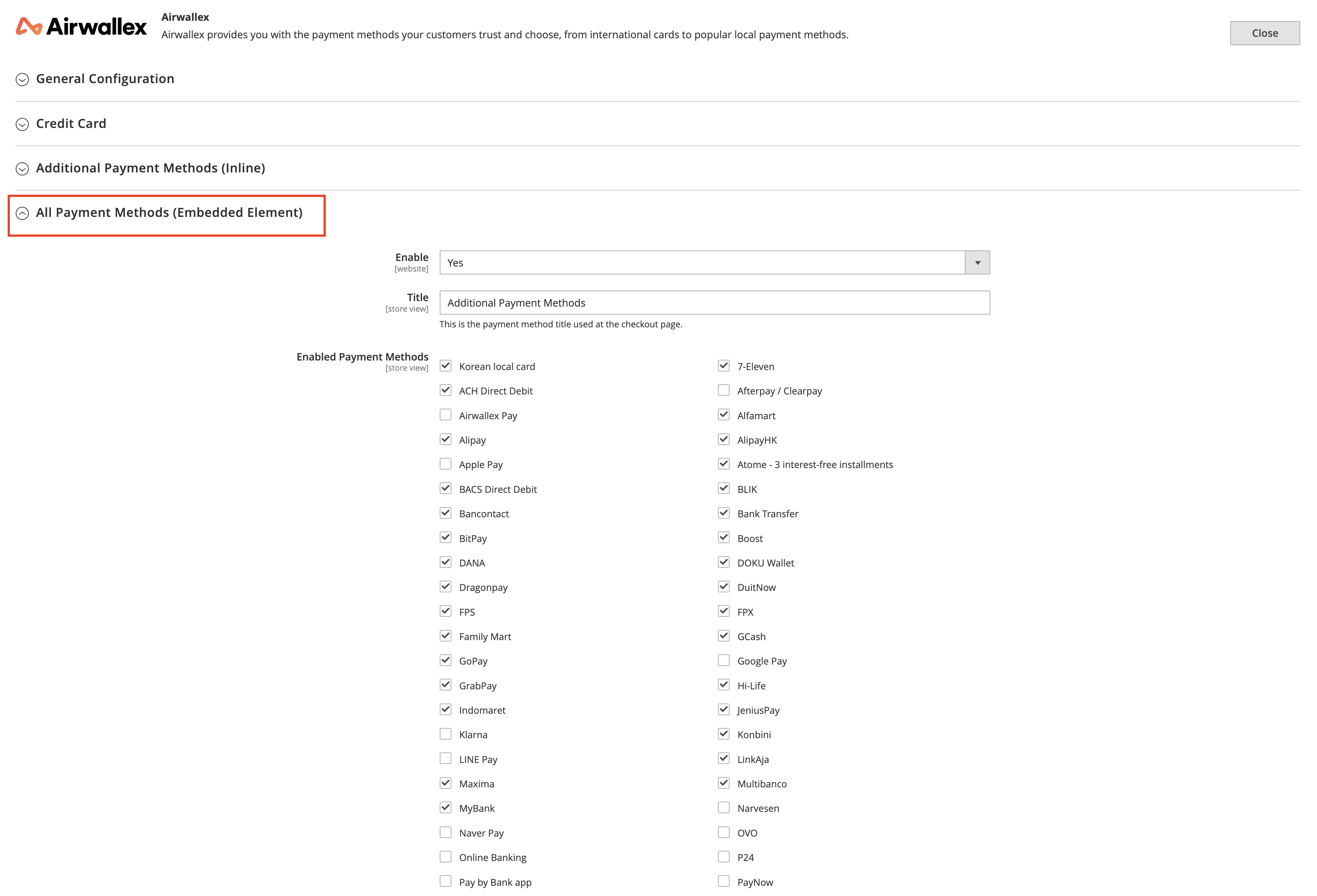
- Select Yes under Enable to activate the All Payment Methods option
- Customise the Title to your preference of what you wish to show to the shoppers on checkout
- Select the payment methods you wish to enable and the logos to be displayed under Enabled Payment Methods and Display Payment Method Logos respectively
- Adjust the mode of capture under Capture Preferences
- Click Save to save your settings
Shopper Experience
- On the Checkout Page, shoppers will see the "All Payment Methods" option displayed as a single payment method
- If selected, once shoppers accept the terms and conditions (if applicable), they will be shown the Airwallex Checkout Element containing all eligible payment methods
- Shoppers can then select the payment method they wish to use and complete the checkout process
Was this page helpful?