

Developer connectors
Connect your AI coding agent to Airwallex documentation and sandbox
The Airwallex developer connectors connects AI coding agents — Cursor, Claude Code, Codex, and similar tools — to Airwallex documentation and the Airwallex sandbox. Use it while you build and test an integration so your agent writes more accurate Airwallex code and can exercise the sandbox without leaving your editor.
The toolkit provides two MCP servers:
| Connector | Environment | Best for | Authentication |
|---|---|---|---|
| Developer MCP | Sandbox | Coding agents writing or testing integrations | OAuth |
| Docs MCP | Read-only documentation | Any agent that needs Airwallex knowledge but no API access | None |
Looking to act on your production account — reading balances, creating beneficiaries, running multi-step workflows? That's Airwallex AgentOS, which is built for operators rather than integration development.
The toolkit also includes the airwallex-dev skill plugin, which generates Airwallex integration code directly in your project. See Developer integration skills.
Developer MCP vs. Docs MCP
- Use Docs MCP when your agent only needs to look up Airwallex documentation and API references. It requires no authentication and is safe to add to any agent.
- Use Developer MCP when you also want the agent to create test resources, simulate events, and call sandbox endpoints. It includes everything Docs MCP does, plus sandbox tools.
Benefits
- Faster information retrieval: Agents fetch documentation and API references directly in the coding environment, with access to your codebase for context.
- Reduced hallucination: Connecting agents to current Airwallex documentation and API surfaces reduces the rate of incorrect or outdated code.
- Build and test in one place: Create test resources, simulate events, and run sandbox reads through natural language prompts without context-switching.
Limitations
- Model dependency: Quality varies by model. Different AI assistants produce different results, and no model is perfect.
- Sandbox only: The Developer MCP testing tools run in sandbox only. For production reads and writes, use the Airwallex CLI or Airwallex AgentOS MCP.
- Hallucination reduction, not elimination: Generated code and recommendations must always be reviewed, validated, and tested before use in production.
Install Developer MCP
Developer MCP is the sandbox MCP server. It exposes documentation tools, sandbox simulation tools, and certain endpoints.
Before you begin
- A compatible AI assistant installed (Cursor, Claude Code, or other MCP-compatible tool).
- Network access to
https://mcp.sandbox.airwallex.com/developer. - A sandbox account if you want to use the remote endpoint.
Cursor
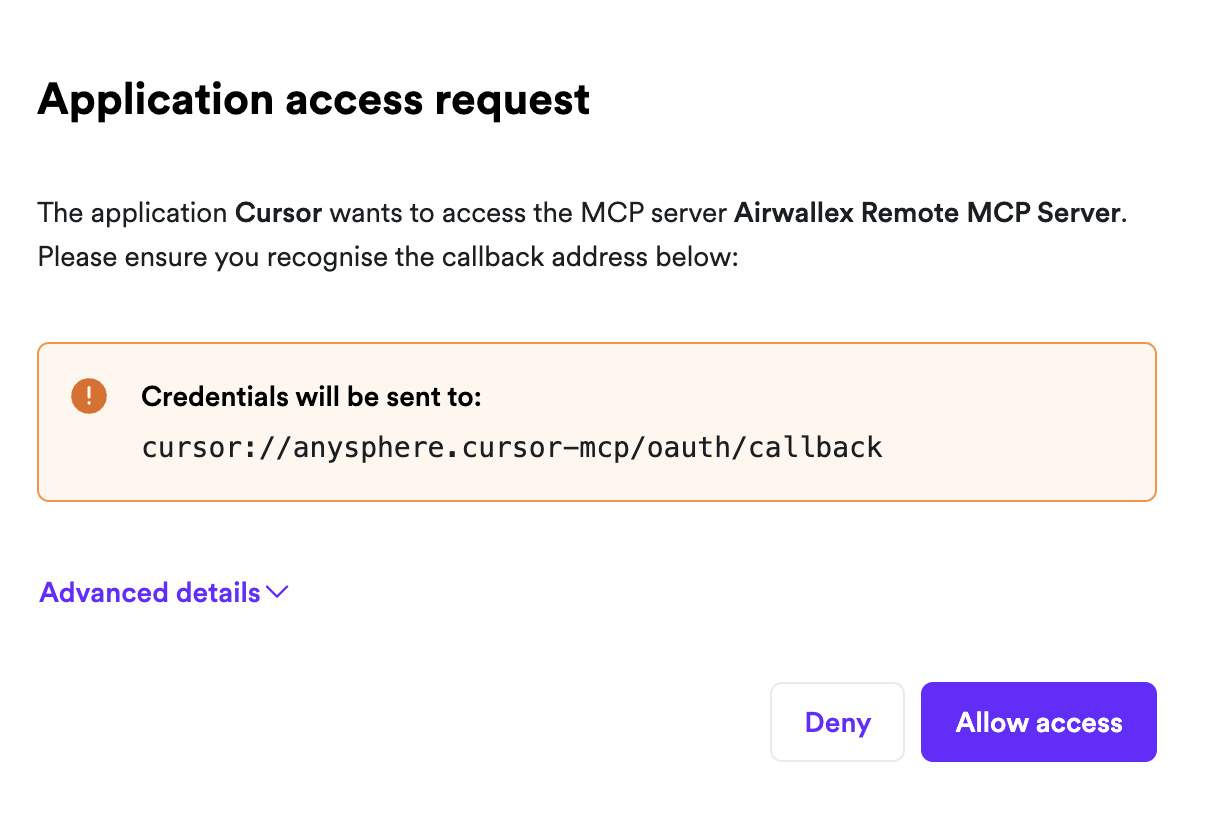
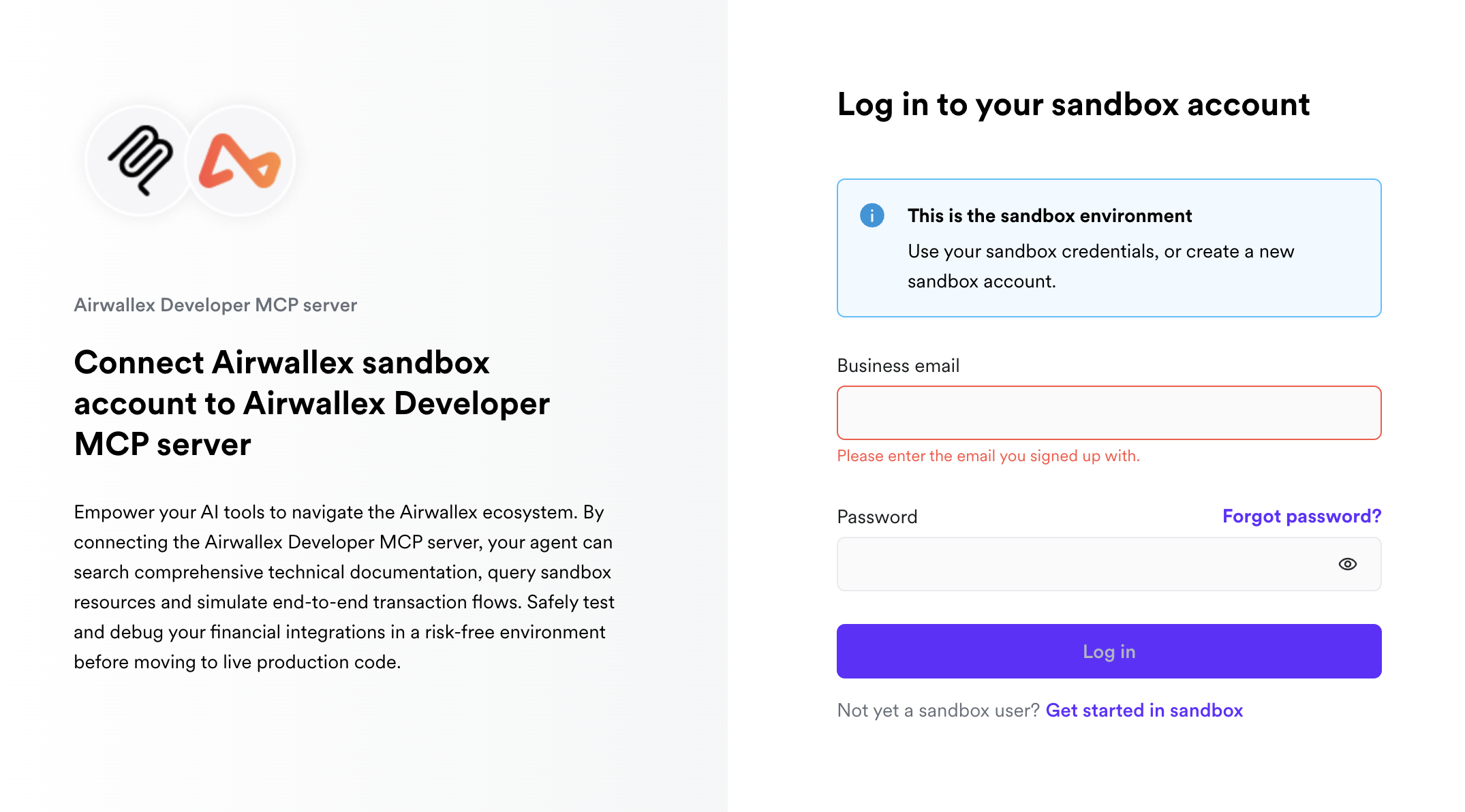
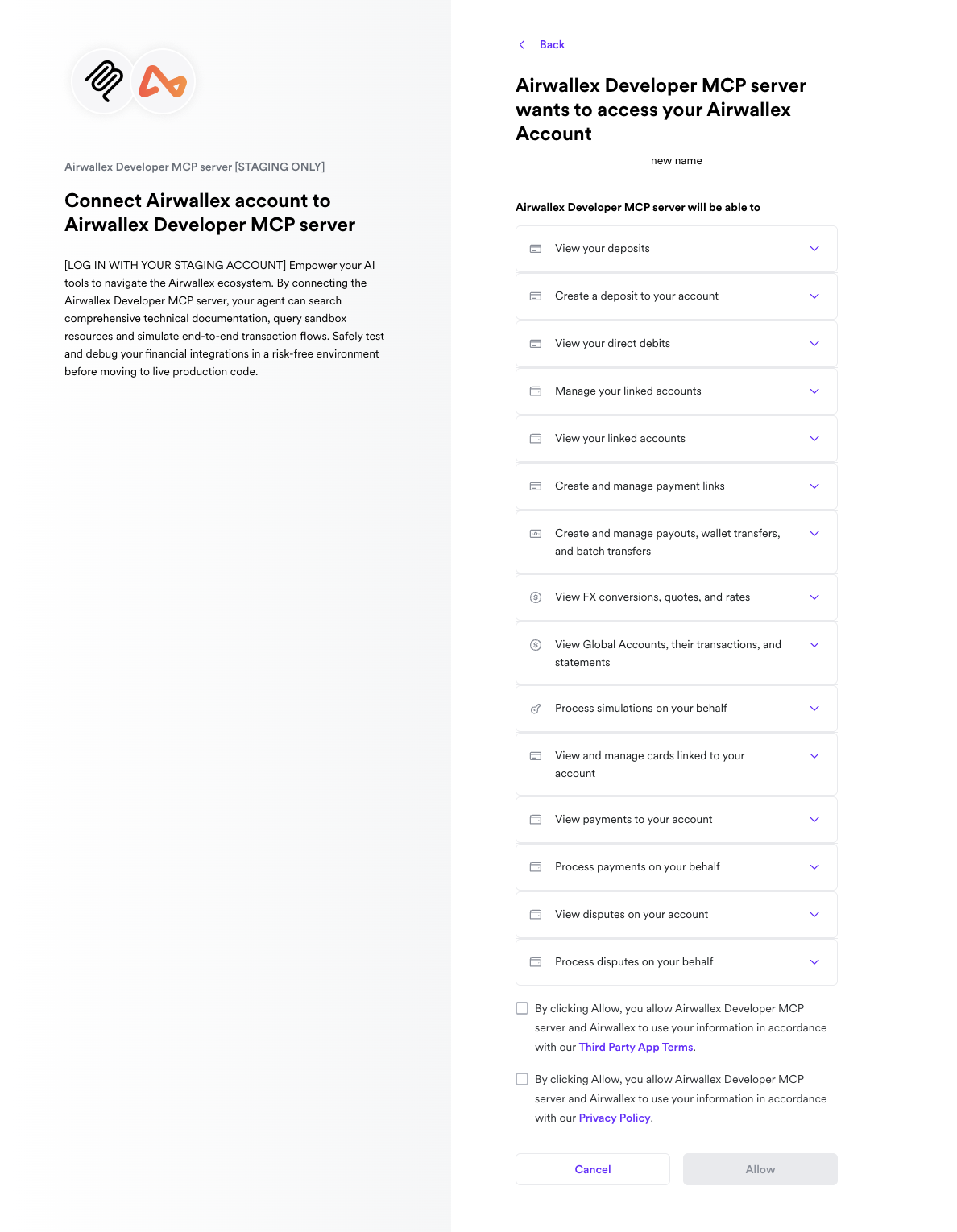
You can use one-click installation links or manual configuration. Documentation and sandbox tools at the remote endpoint. Cursor initiates OAuth to authenticate with Airwallex.

Or manually add to your Cursor MCP settings:
1{2 "mcpServers": {3 "airwallex-dev": {4 "type": "http",5 "url": "https://mcp.sandbox.airwallex.com/developer"6 }7 }8}
Claude Code
You can use a one-click installation command or manual configuration. Documentation and sandbox tools at the remote endpoint. Claude Code initiates OAuth to authenticate with Airwallex.
1claude mcp add-json airwallex-dev '{ "type": "http", "url": "https://mcp.sandbox.airwallex.com/developer" }'
Claude.ai / Claude Cowork
Connect using the built-in Airwallex Developer connector.
Find the official Airwallex Developer connector from Settings > Connectors.
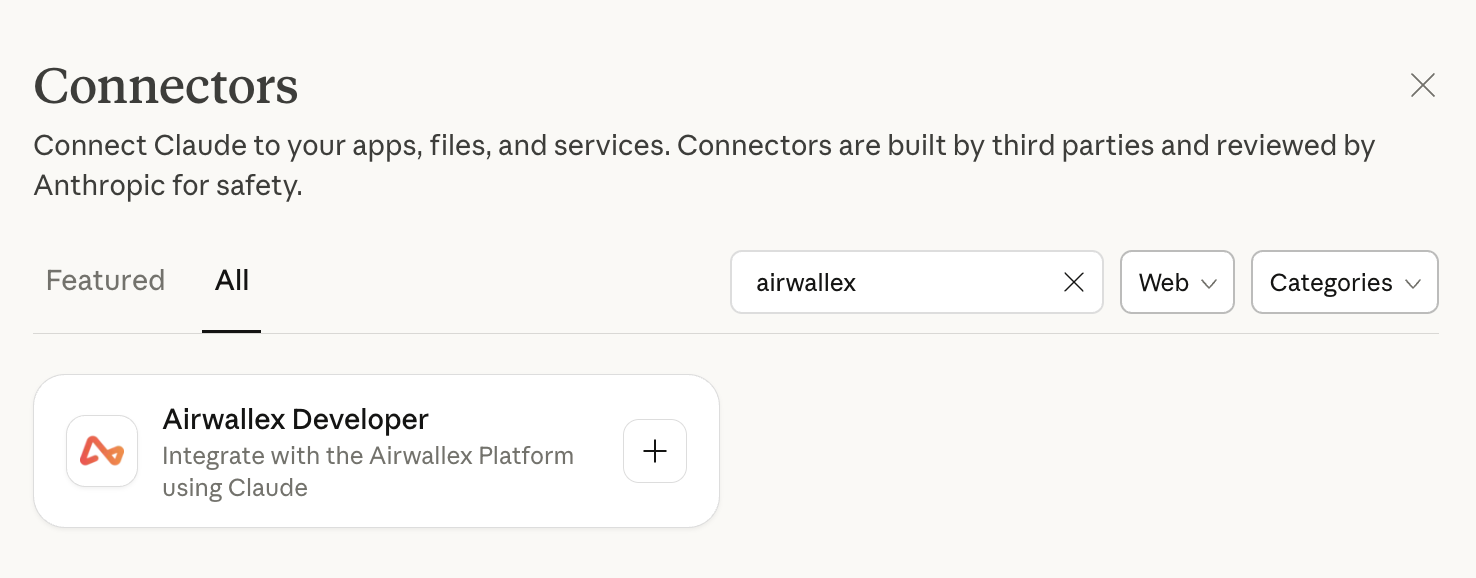
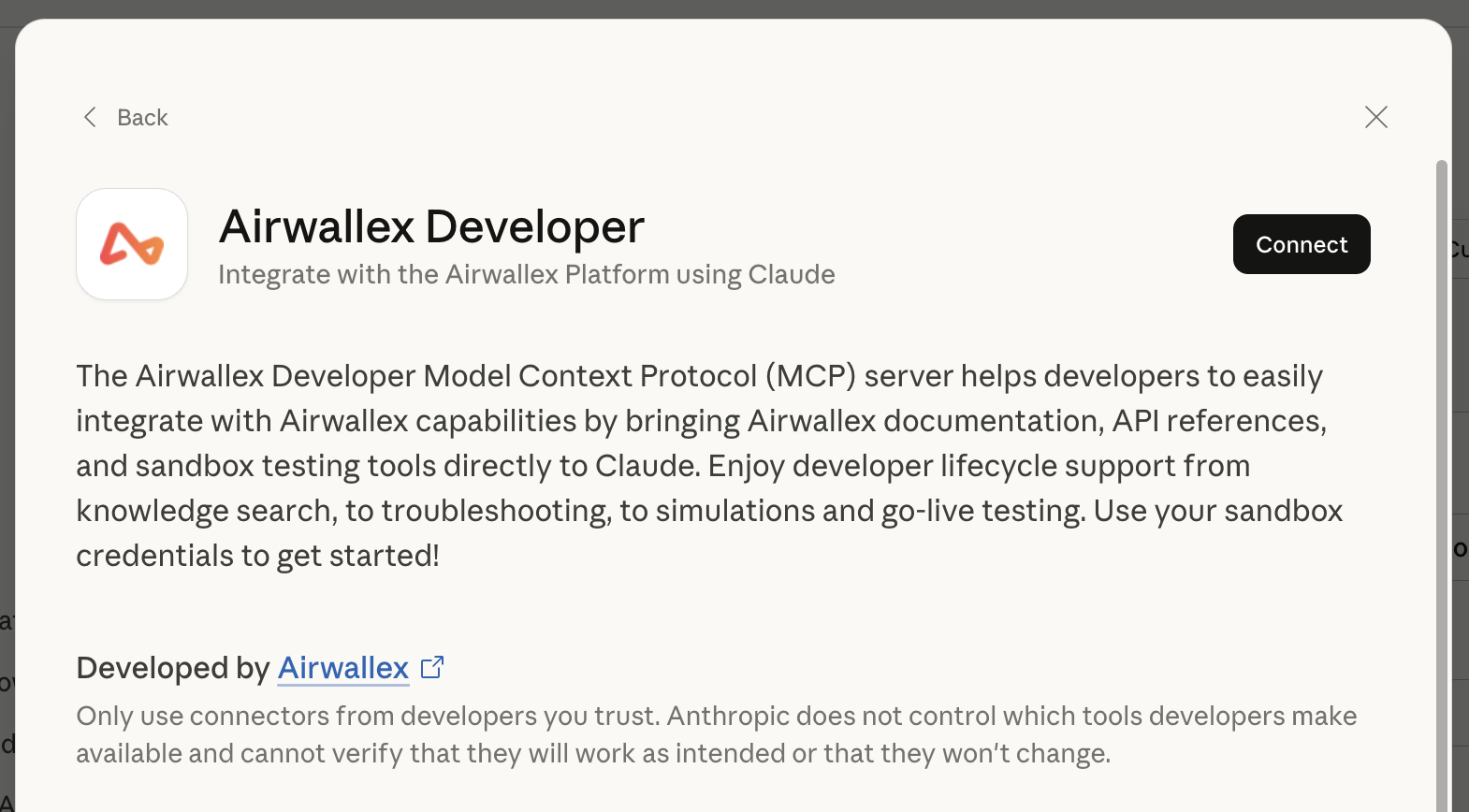
When you try to connect, Claude initiates an OAuth flow to authenticate with Airwallex.
Gemini CLI
Add the following configuration to your Gemini CLI MCP settings. Gemini CLI initiates OAuth to authenticate with Airwallex.
1{2 "mcpServers": {3 "airwallex-dev": {4 "type": "http",5 "url": "https://mcp.sandbox.airwallex.com/developer"6 }7 }8}
OpenAI Codex
Add the following to your OpenAI Codex MCP settings. Codex initiates OAuth to authenticate with Airwallex.
1[mcp_servers.airwallex-dev]2type = "http"3url = "https://mcp.sandbox.airwallex.com/developer"
Lovable
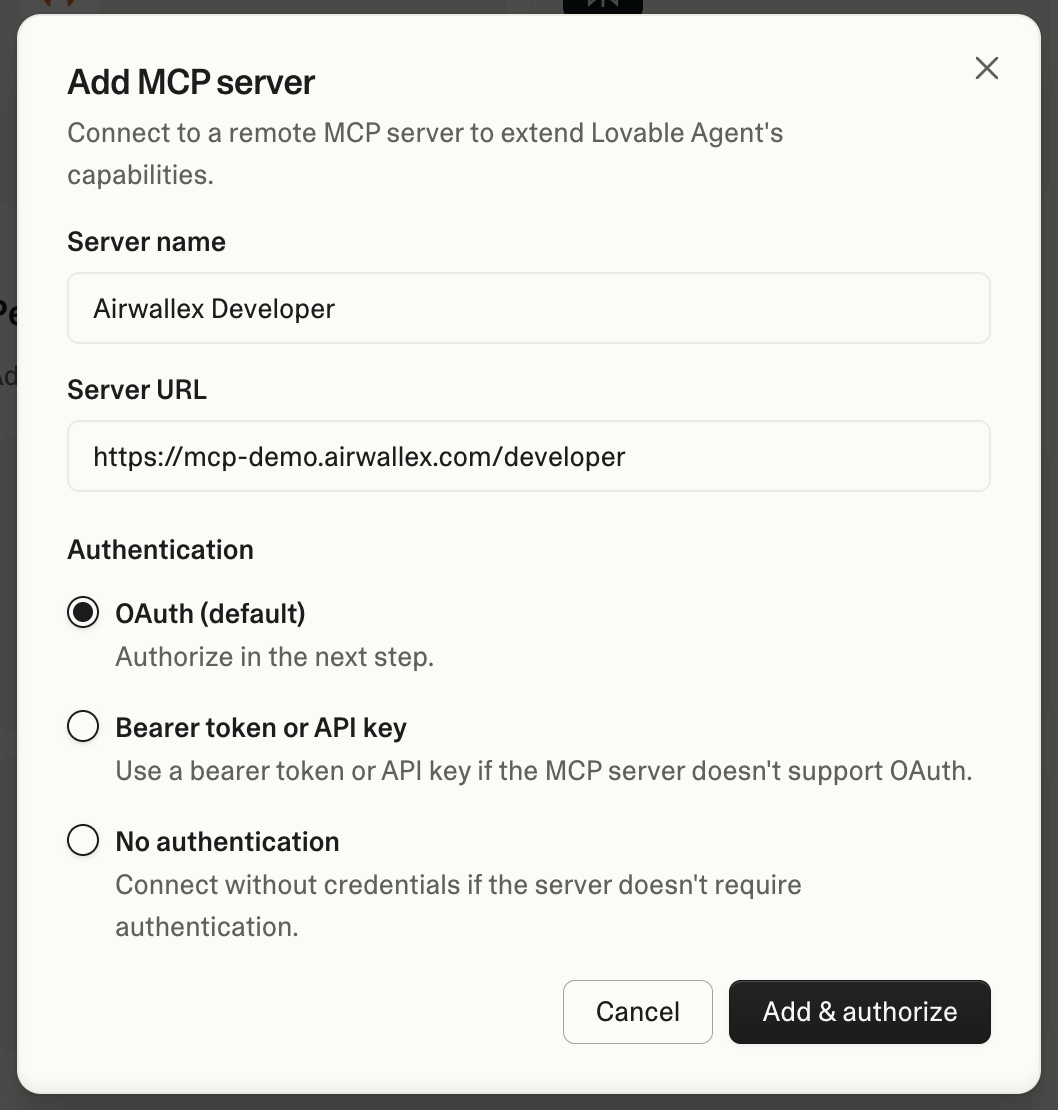
Lovable is a web-based coding agent that only supports remote MCP servers. MCP server support requires a paid plan. Connect using the MCP server settings in your Lovable project. Lovable initiates OAuth to authenticate with Airwallex.
V0
V0 by Vercel is a web-based AI coding agent. V0 does not support the Developer MCP remote endpoint today. Use the Docs MCP for documentation-only access, or another coding agent if you need sandbox tools.
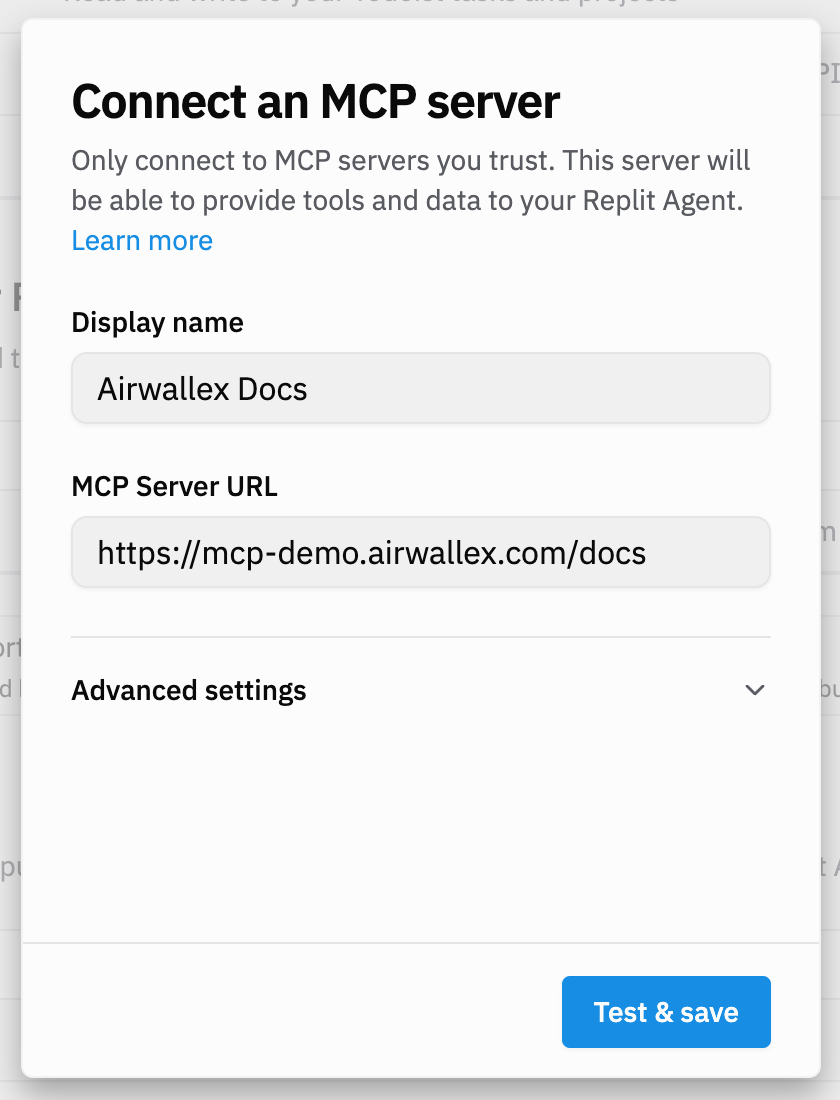
Repl.it
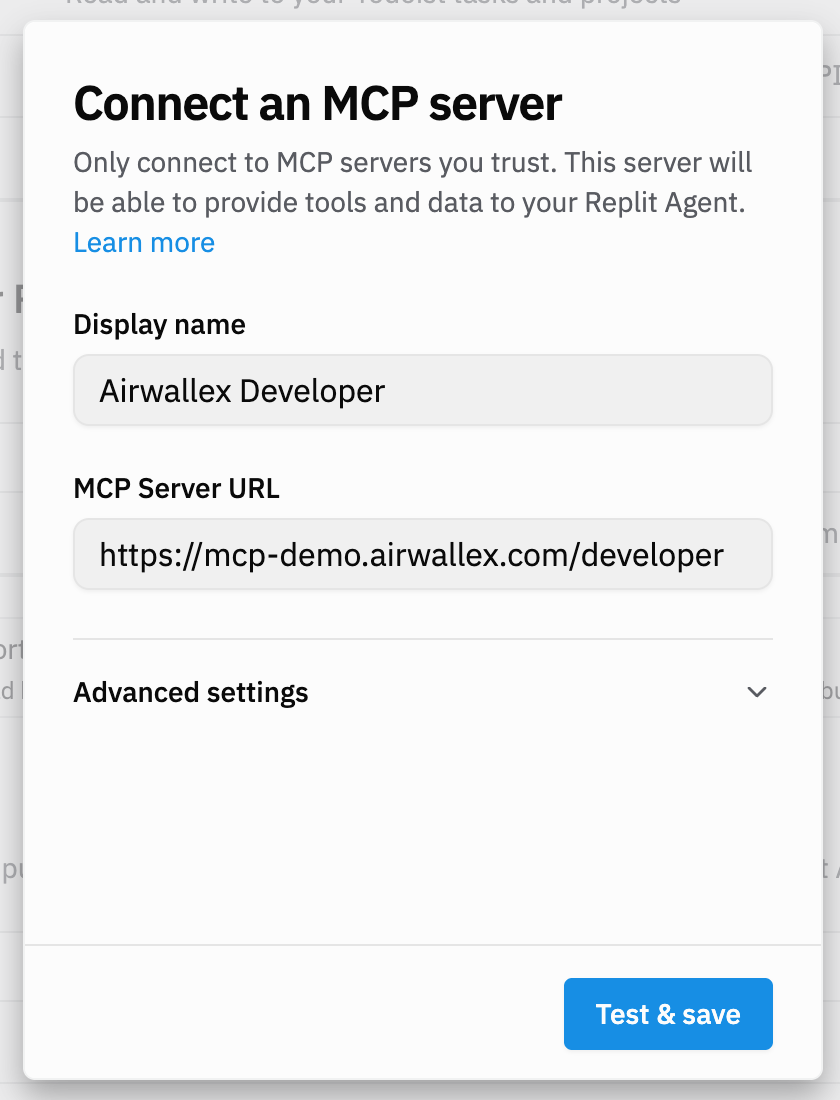
Repl.it is a web-based AI coding agent that only supports remote MCP servers. Connect using the MCP server settings in your Repl.it project. Repl.it initiates OAuth to authenticate with Airwallex.
Install Docs MCP
Docs MCP is a documentation-only MCP server. It exposes the same documentation search tools as Developer MCP and requires no authentication. Use Docs MCP when your agent only needs to look up Airwallex docs, or when authentication is not available in the host environment.
Cursor
Or manually add to your Cursor MCP settings:
1{2 "mcpServers": {3 "airwallex-docs": {4 "type": "http",5 "url": "https://mcp.sandbox.airwallex.com/docs"6 }7 }8}
Claude Code
1claude mcp add-json airwallex-docs '{ "type": "http", "url": "https://mcp.sandbox.airwallex.com/docs" }'
Claude.ai / Claude Cowork
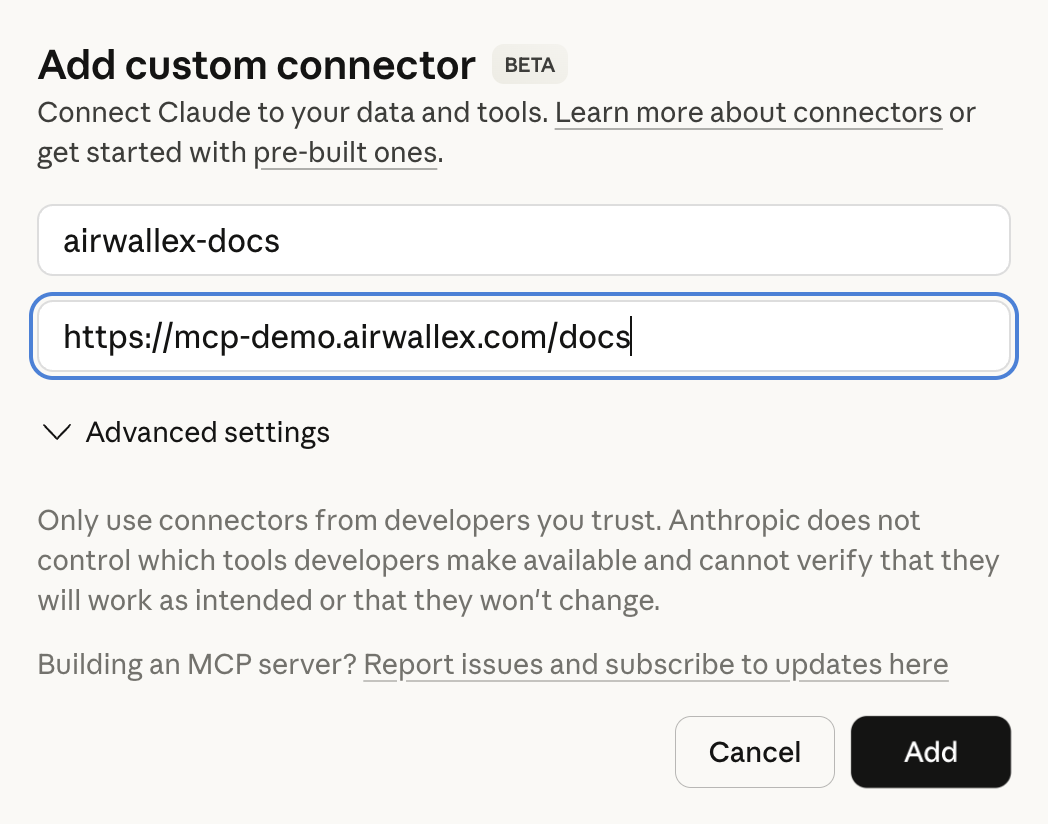
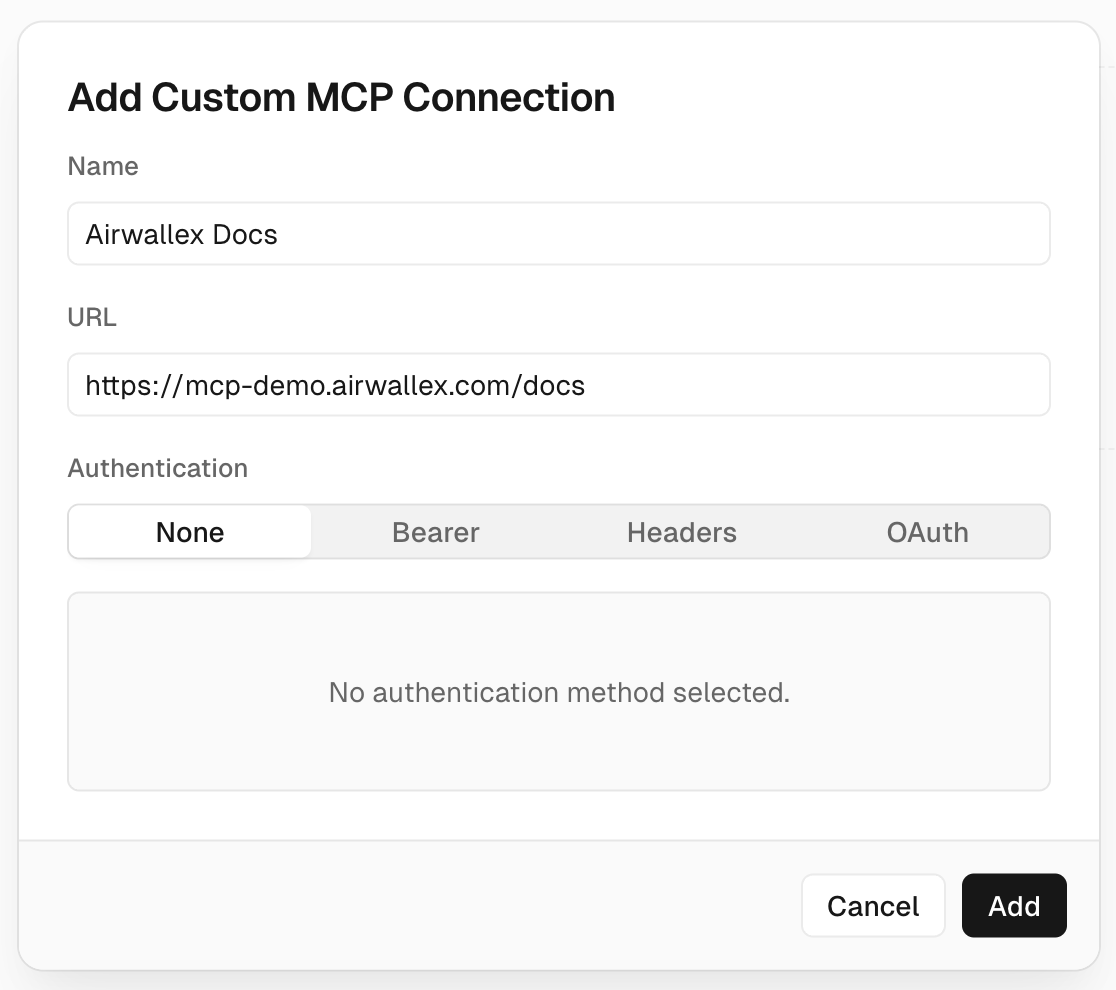
Add a custom connector. From Settings > Connectors > Add custom connector, use https://mcp.sandbox.airwallex.com/docs as the Remote MCP server URL.
Gemini CLI
1{2 "mcpServers": {3 "airwallex-docs": {4 "type": "http",5 "url": "https://mcp.sandbox.airwallex.com/docs"6 }7 }8}
OpenAI Codex
1[mcp_servers.airwallex-docs]2type = "http"3url = "https://mcp.sandbox.airwallex.com/docs"
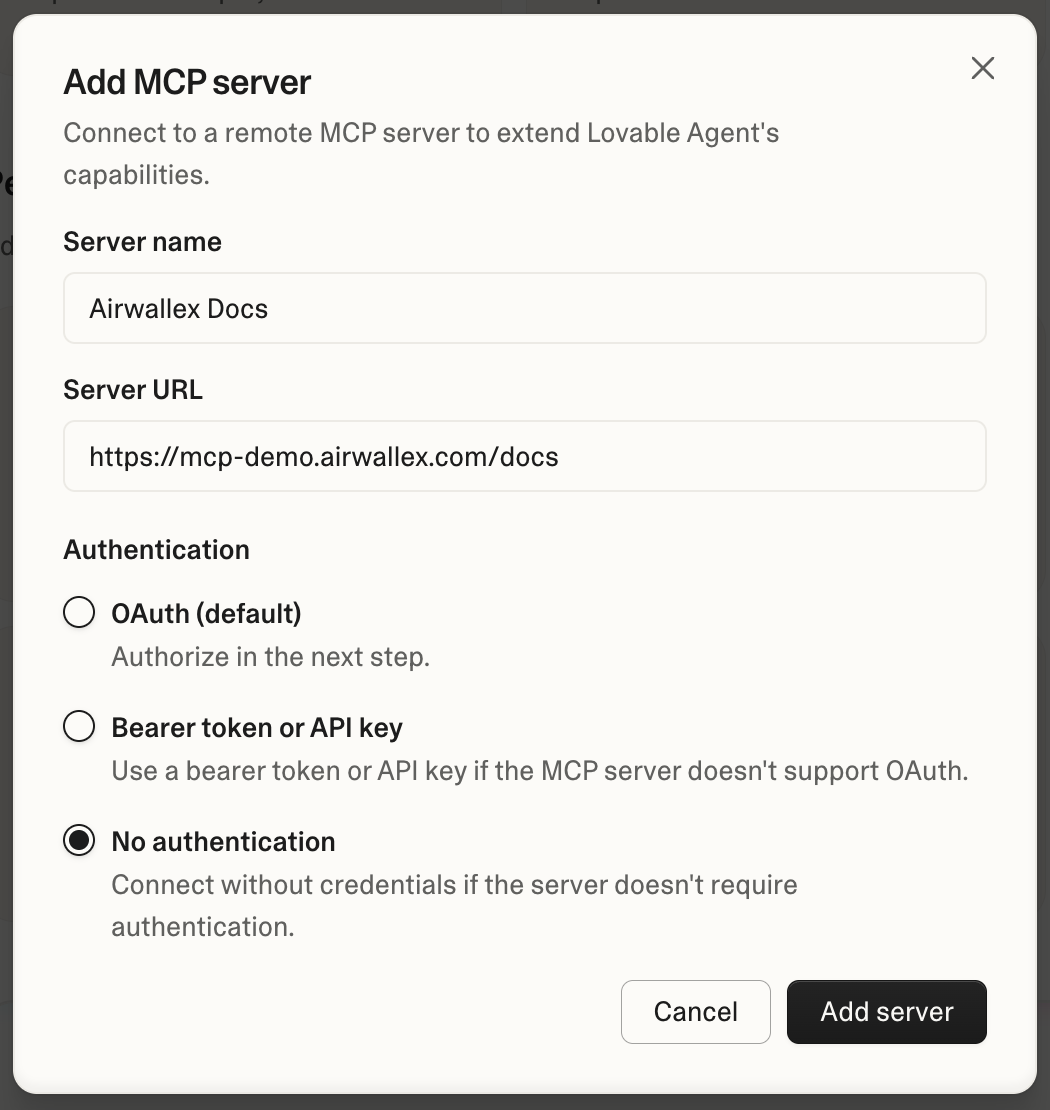
Lovable
Configure the MCP server in your Lovable project settings using https://mcp.sandbox.airwallex.com/docs.
V0
1{2 "mcpServers": {3 "airwallex-docs": {4 "type": "http",5 "url": "https://mcp.sandbox.airwallex.com/docs"6 }7 }8}
Repl.it
Configure the MCP server in your Repl.it project settings using https://mcp.sandbox.airwallex.com/docs.
Available MCP tools
The two servers expose different tools:
| Tool category | Developer MCP | Docs MCP |
|---|---|---|
| Documentation tools | ||
| Sandbox tools |
For prompting best practices and troubleshooting, see Build with AI.
Verify your connection
After setup, confirm the connector is working:
- Check that the Airwallex server appears in your editor's MCP configuration or settings panel.
- Send a test prompt that explicitly mentions Airwallex, for example: "Using Airwallex, show me how to create a test payment link in the sandbox."
- If the response references Airwallex documentation or invokes an Airwallex tool, the connection is working.
Developer integration skills
The airwallex-dev plugin adds skills that generate Airwallex integration code directly in your project. Five of them scaffold and wire SDK integration code, and airwallex-ai-provider-card-mit produces an implementation plan document.
The airwallex-dev integration skills are in beta. The skill set and behavior may change before general availability.
Install the plugin from the Airwallex marketplace.
For Claude Code:
1claude plugin marketplace add https://github.com/airwallex/airwallex-marketplace2claude plugin install airwallex-dev@airwallex-marketplace
For Codex:
1codex plugin marketplace add https://github.com/airwallex/airwallex-marketplace2codex plugin add airwallex-dev@airwallex-marketplace
Installed skills are prefixed by the plugin name, so you invoke them as /airwallex-dev:airwallex-hpp.
| Skill | Category | Description |
|---|---|---|
| airwallex-hpp | Payments | Generate Hosted Payment Page integration code: a redirect-based checkout hosted by Airwallex, covering guest, save-card, and saved-card flows. |
| airwallex-dropin | Payments | Generate Drop-in Element integration code: an embedded UI that supports multiple payment methods, including Apple Pay and Google Pay. |
| airwallex-split-card | Payments | Generate Split Card Element integration code: separate card number, expiry, and CVC inputs for full control over the card form. |
| airwallex-billing-checkout | Billing | Generate Hosted Billing Checkout integration code for subscriptions, one-off payments, and card-saving, including free trials, coupons, and webhooks. |
| airwallex-kyc | Connected Accounts | Generate Connected Account KYC onboarding code using the embedded KYC element or a hosted flow. |
| airwallex-ai-provider-card-mit | Payments | Produce an implementation plan for card-on-file, merchant-initiated flows used by AI providers, covering top-ups, auto-recharge, and subscriptions. |
These skills generate integration code in your project, so a strong coding model gives the best results.
Next steps
- Build with AI — prompting best practices and troubleshooting.
- Airwallex AgentOS — when you need agents to act on your production account.
- Airwallex CLI — production reads and writes from a terminal or script.