

View and re-trigger webhook events
Inspect webhook events and delivery status in the Airwallex web app, and re-deliver events for debugging or after downtime.
Use the Events list in the Airwallex web app to see all webhook events sent from Airwallex and to re-deliver events when needed. For context on how webhooks work and how delivery status is determined, refer to Webhooks overview.
Before you begin
You must have at least one webhook subscription configured. If not, complete Listen for webhook events first.
View webhook events
Webhook events are retained for 30 days.
To inspect events and their delivery status, open the Events list and use the filters.
- Log in to the Airwallex web app and select Settings > Developer > Events.
- Use the following filters to narrow results:
- Date and time: The time period when the events occurred.
- Event name: For example,
payment.new. - Event from: The account or accounts where the events occurred.
- Status: The status of the webhook event. Possible values include:
- Success: Events successfully responded to with a 200 HTTP status code.
- Queued: Event is added to a queue to be re-triggered over time.
- Failed: Your endpoint did not return a 200 HTTP status code.
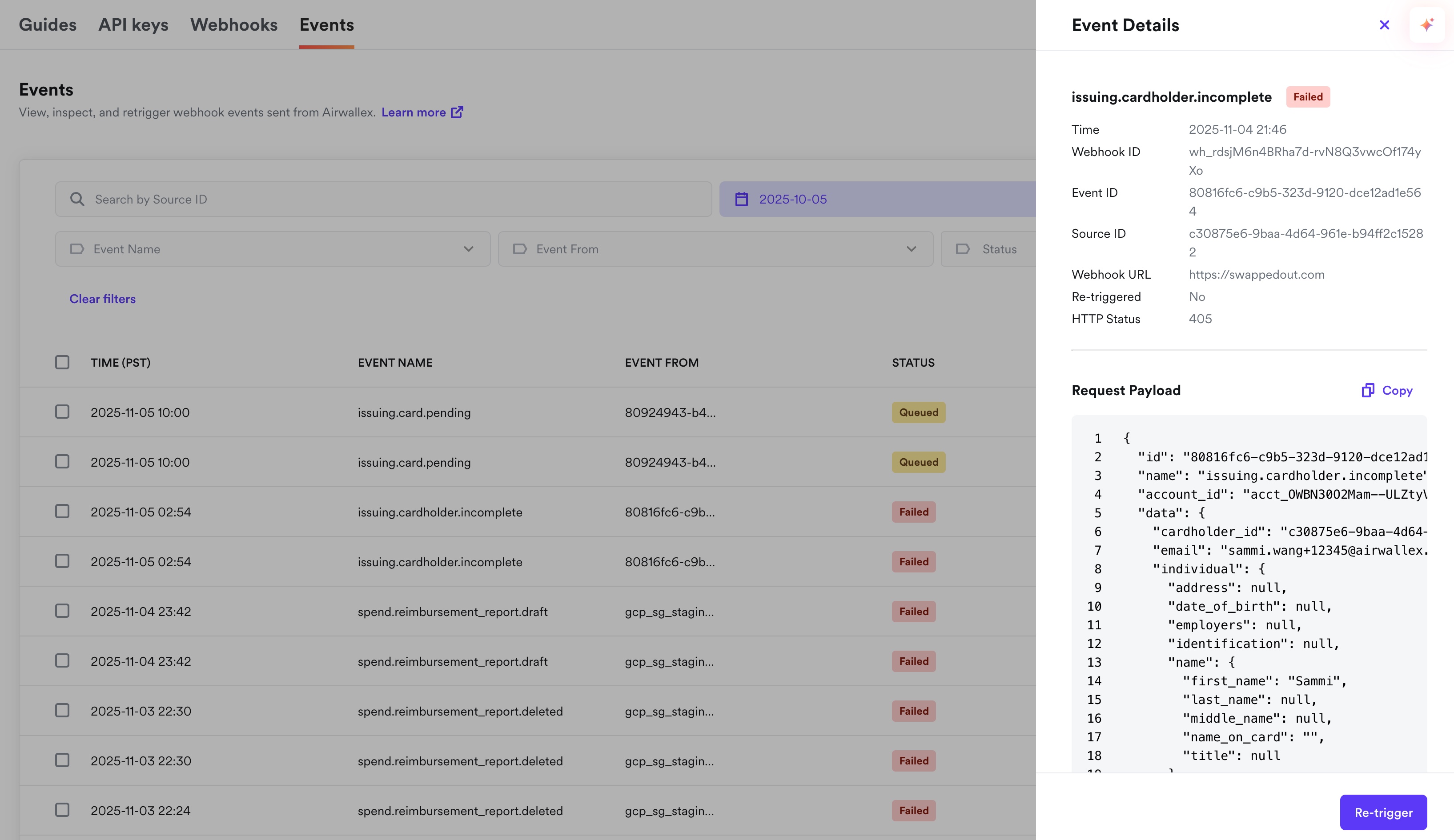
- Click an event to see its details.
Event details include:
- Webhook ID: A unique identifier for the webhook subscription.
- Event ID: A unique identifier for the webhook event.
- Sent to: The notification URL webhook events are sent to.
- HTTP status: The response returned by your webhook endpoint when Airwallex delivered the event.
- Request payload: The JSON event payload sent to the notification URL.
Re-trigger webhook events
Re-triggering re-delivers an event that already occurred. Use it when you missed the event due to downtime, are debugging your integration, or need to confirm idempotent handling.
Events can only be re-triggered within 30 days of when they occurred.
To re-trigger one or more events:
- Log in to the Airwallex web app and select Settings > Developer > Events.
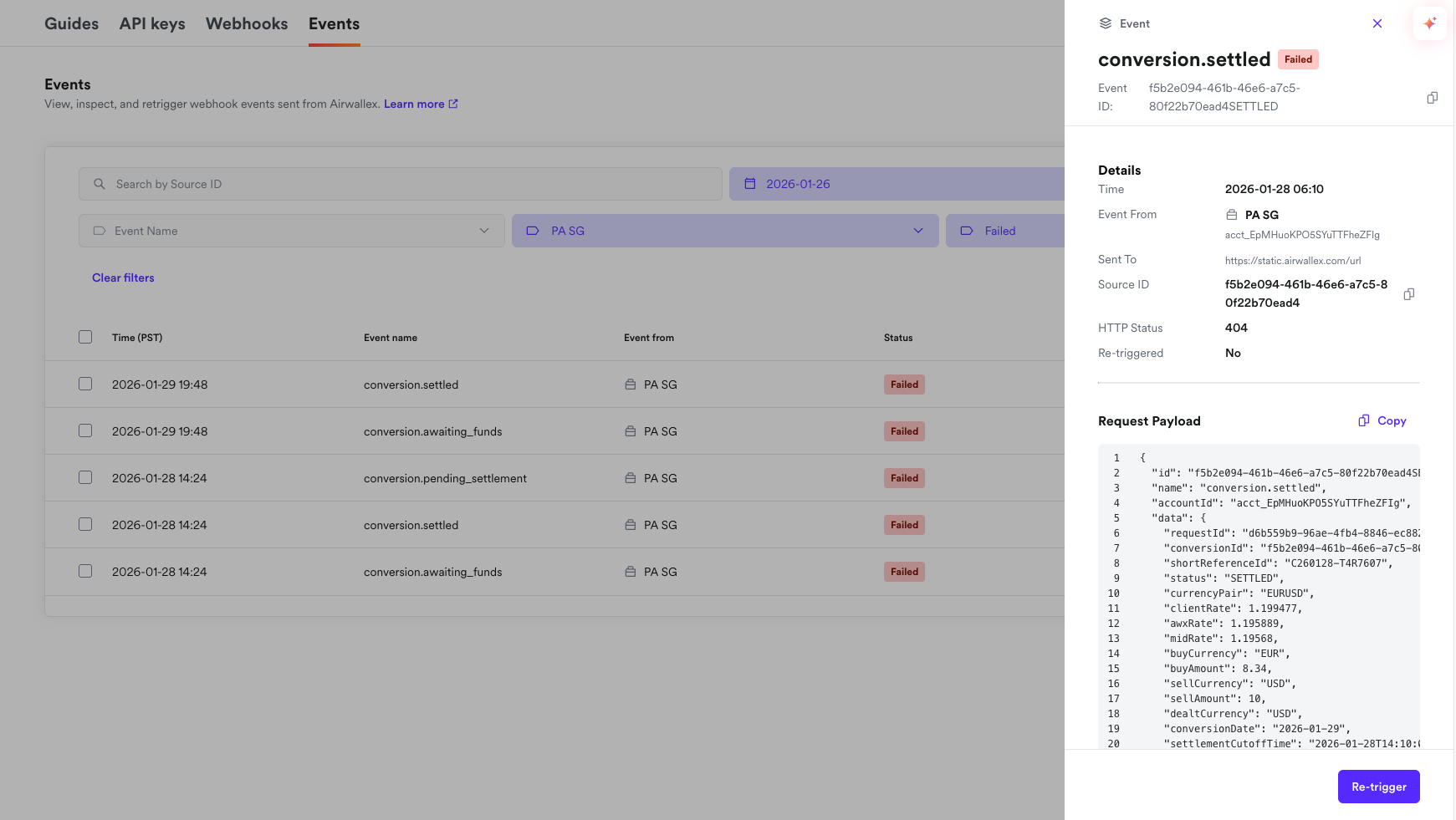
- Use the Status filter to find failed events (or use other filters to narrow results).
- Select one or more webhook events and click Re-trigger. Airwallex re-delivers the selected events.
- Refresh the page after a few minutes to see the re-triggered events at the top of the updated list.
Next steps
Now that you can view and re-trigger events, you can review event types and payload examples by product.