

Hosted Payment Page integration
This guide covers UI integration using the Hosted Payment Page (HPP) approach. Make sure you add dependency for Airwallex or AirwallexPaymentSheet.
How it works
The diagram below depicts the integration flow for a card payment.
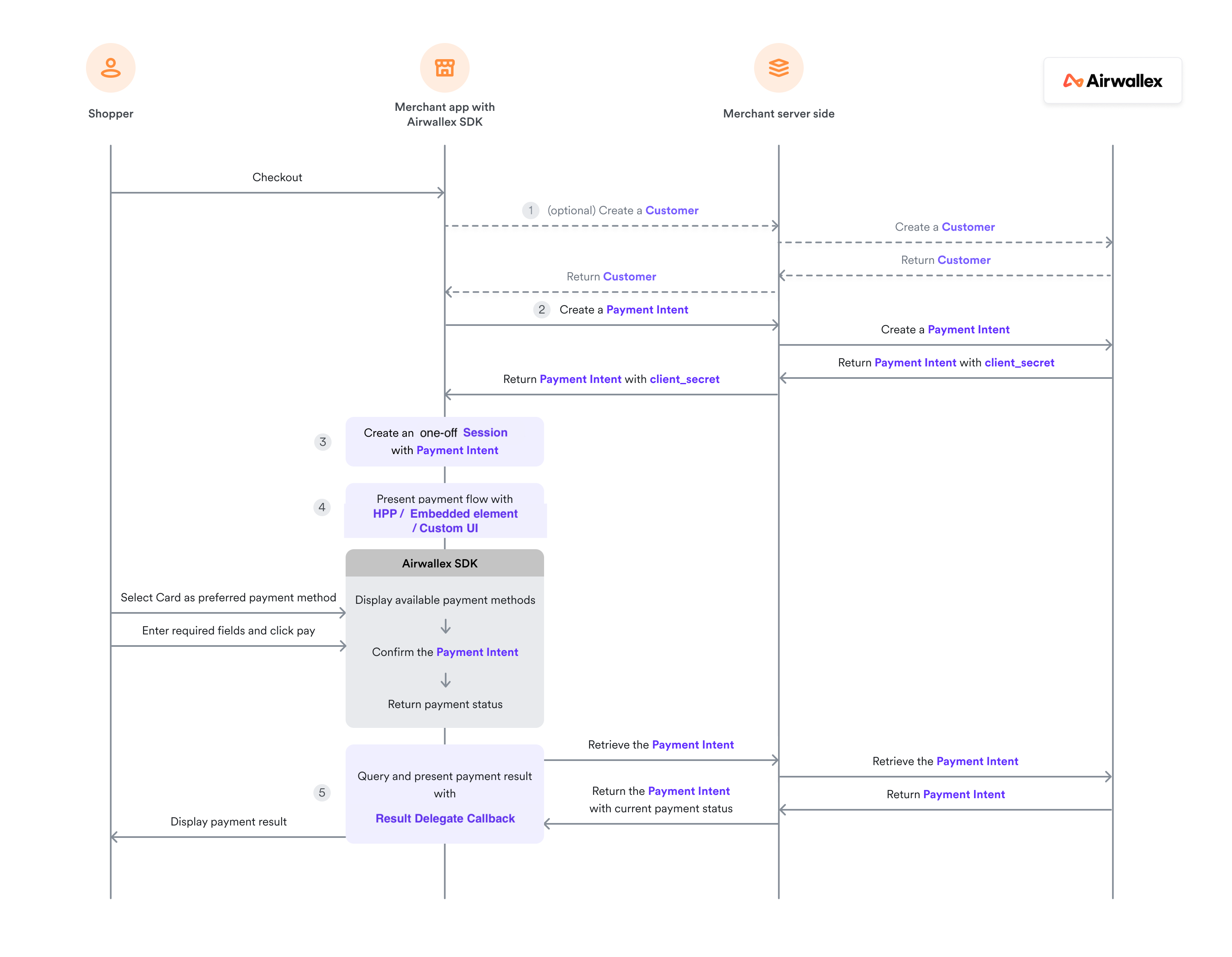
Prepare payment session
Before launching the payment UI, you need to create a payment session. See Prepare payment session for details on setting up the environment, creating a customer, payment intent, and payment session.
Launch payment sheet (recommended)
This is the recommended usage. It builds a complete user flow on top of your app with our prebuilt UI to collect payment details, billing details, and confirm the payment.
Upon checkout, use AWXUIContext to present the payment flow where the user will be able to select the payment method.
1let configuration = AWXUIContext.Configuration()2configuration.layout = .tab // or .accordion3configuration.launchStyle = .push // or .present45AWXUIContext.launchPayment(6 from: "hosting view controller which also handles AWXPaymentResultDelegate",7 session: "The session created above",8 configuration: configuration9)
Launch card payment directly
1let configuration = AWXUIContext.Configuration()2configuration.elementType = .addCard3configuration.supportedCardBrands = [.visa, .mastercard, .unionPay] // defaults to all available brands45AWXUIContext.launchPayment(6 from: "hosting view controller which also handles AWXPaymentResultDelegate",7 session: "The session created above",8 configuration: configuration9)
If you want to show card payment only but still want to be able to pay with saved cards, you can use session.paymentMethods to filter by passing [AWXCardKey]:
1let session = Session(...)2session.paymentMethods = [AWXCardKey]34AWXUIContext.launchPayment(5 from: "hosting view controller which also handles AWXPaymentResultDelegate",6 session: session,7 configuration: AWXUIContext.Configuration()8)
Launch payment method by name
1let configuration = AWXUIContext.Configuration()2configuration.elementType = .component3configuration.paymentMethodName = "payment method name"45AWXUIContext.launchPayment(6 from: "hosting view controller",7 session: "The session created above",8 configuration: configuration9)
Available payment method names can be found in the Airwallex API documentation API.
Configuration options
We provide tab and accordion styles for our payment sheet:
| Tab | Accordion |
|---|---|
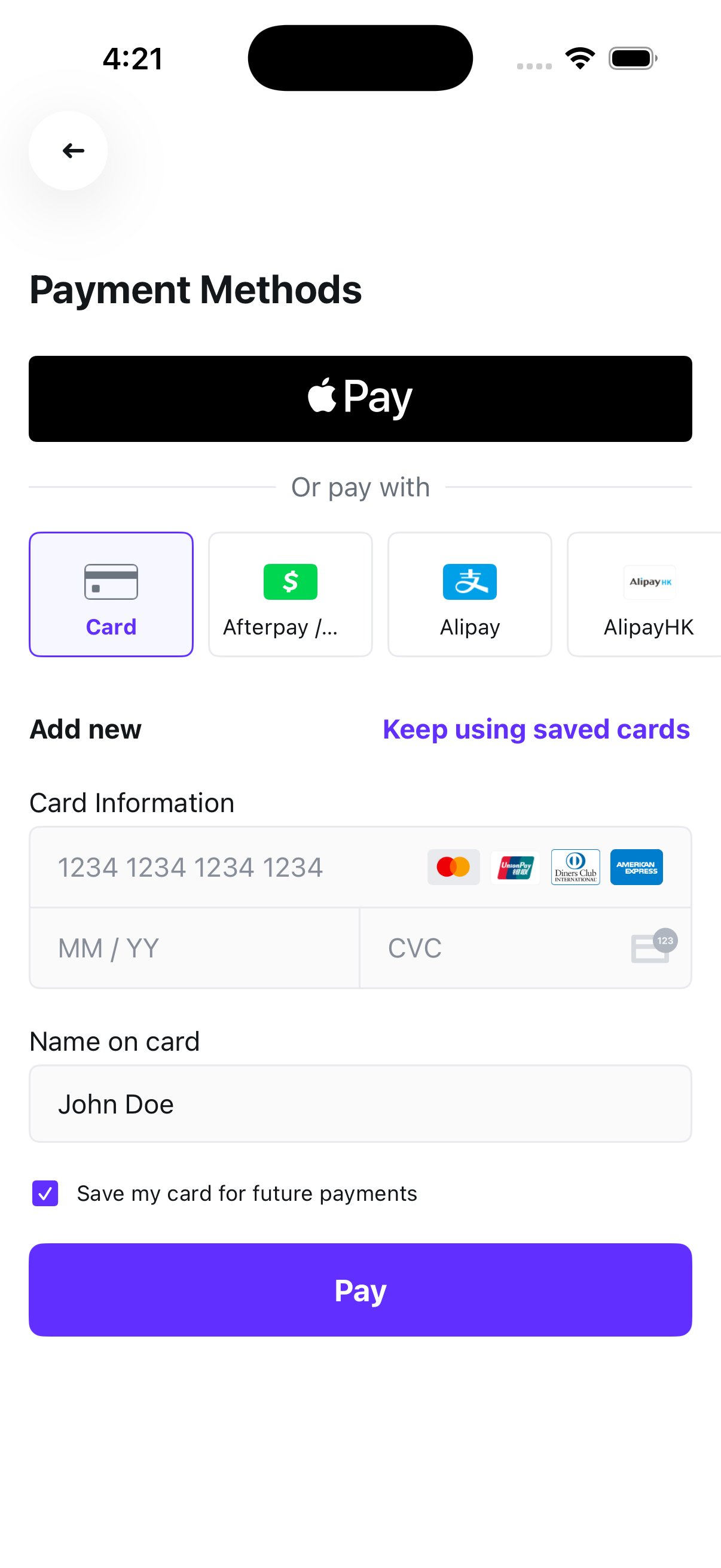 | 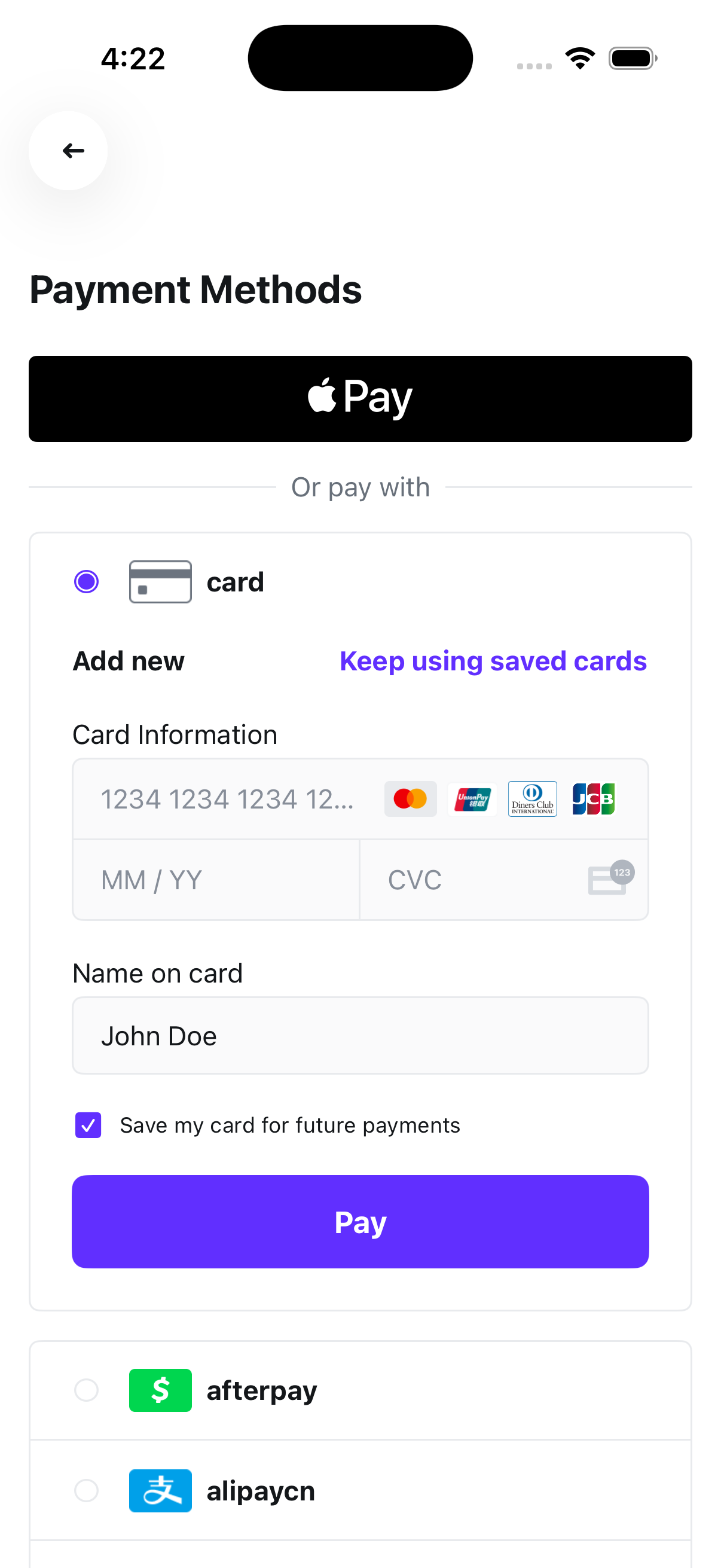 |
Other configuration options
| Property | Description | Default |
|---|---|---|
elementType | .paymentSheet (all methods), .addCard (card only), or .component (single method) | .paymentSheet |
paymentMethodName | Payment method name (required for .component) | nil |
layout | .tab or .accordion (only applies to .paymentSheet) | .tab |
launchStyle | .push or .present | .push |
supportedCardBrands | Accepted card brands (only applies to .addCard) | All available brands |
applePayButton | Customize Apple Pay button appearance (for example, buttonType, disableCardArt) | — |
checkoutButton | Customize checkout button (for example, title) | — |
appearance.tintColor | Primary brand color used throughout the payment element | SDK default |
Handle payment result
Implement AWXPaymentResultDelegate to receive payment lifecycle callbacks.
1func paymentViewController(_ controller: UIViewController?, didCompleteWith status: AirwallexPaymentStatus, error: Error?) {2 // call back for status success / in progress / failure / cancel3}45func paymentViewController(_ controller: UIViewController?, didCompleteWithPaymentConsentId paymentConsentId: String) {6 // If the payment consent is created during payment process, you can implement this optional function to get the ID of this payment consent for any further usage.7}
Retrieve the payment result
For any actions subsequent to the payment such as shipping goods or sending email receipts, you can retrieve the payment result using the following options:
-
Webhooks: Set up webhooks to receive notifications related to payment lifecycle events. For example, Airwallex sends the
payment_intent.succeededevent when a payment succeeds. To build a reliable integration, listen for these events rather than waiting for the client-side redirect. On the client, the shopper could close the browser window or quit the app before your return URL handler is executed. For information on how to set up webhooks and listen for events, see Getting started with webhooks. -
API: On your server, call Retrieve a PaymentIntent API to inspect the status of the PaymentIntent object API.
-
Web app: Check the Payment Activity screen on your Airwallex web app.