

Rate cards
Price usage across dimension combinations with a versioned rate card
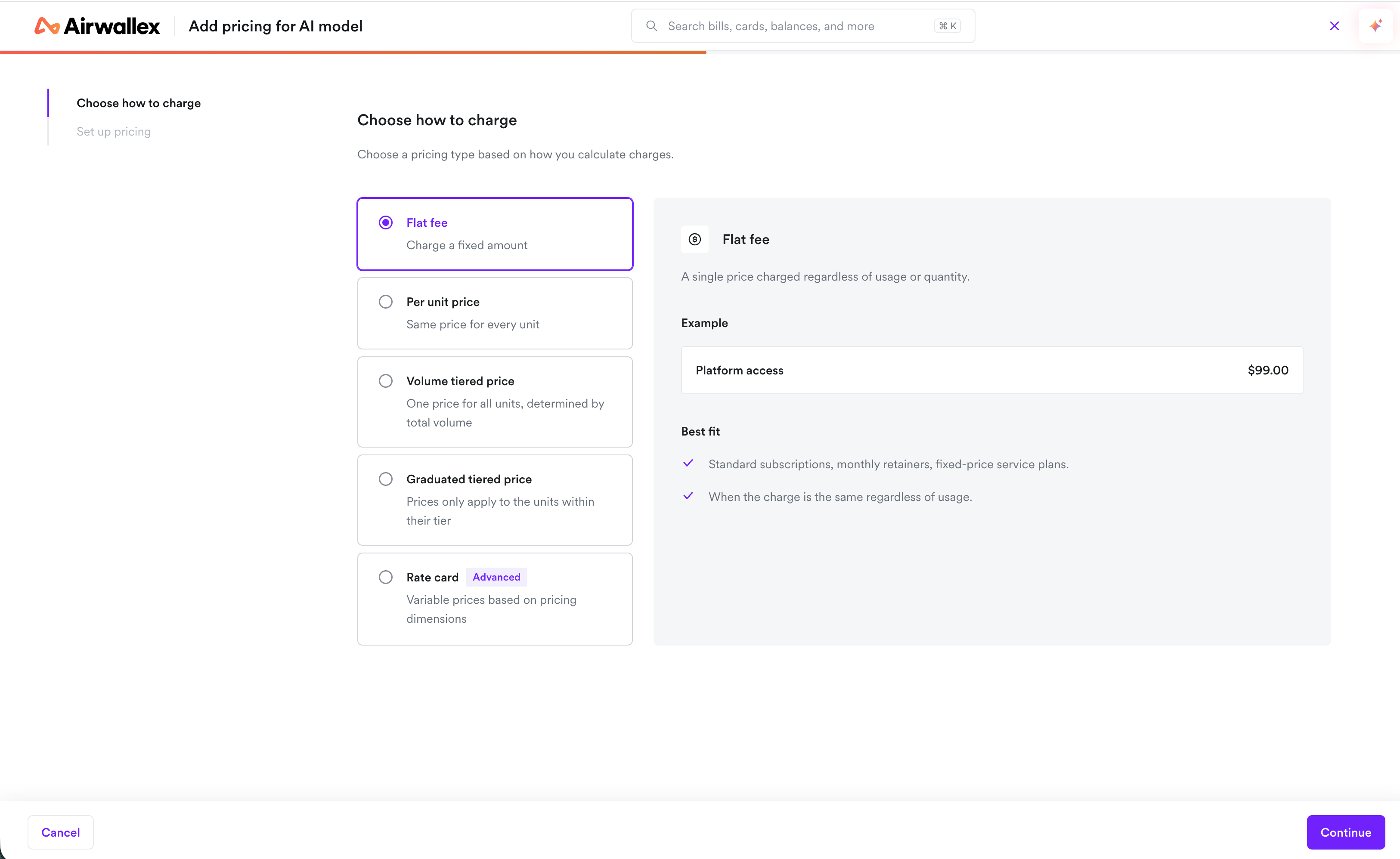
A Rate Card is a pricing surface for usage that varies across attributes such as AI model, token type, or processing mode. It is scoped to one product, one meter, one currency, and one billing cadence. Instead of creating a separate meter and price for every combination, you price those combinations as rows on one rate card.
A rate card is only for usage-based billing. It always links to a meter, and it bills from the usage that meter aggregates. Use a price for fixed or one-time charges.
Rate cards are for multi-dimensional pricing. A meter declares which event properties are dimension keys. Each rate card version chooses which of those keys it prices by, and an ordered list of rows assigns the rates.
Pricing rows
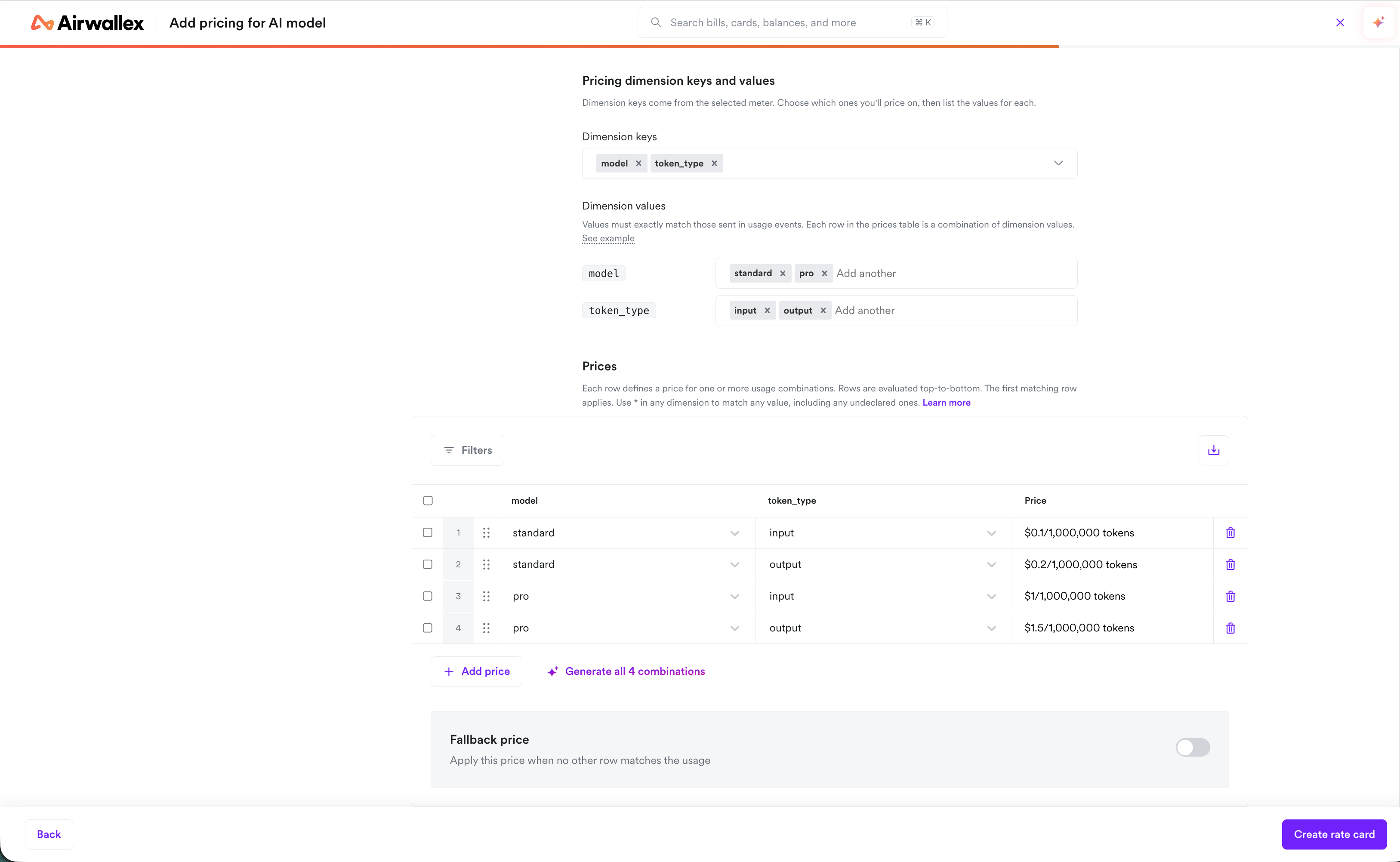
A rate card version contains an ordered list of pricing rows. Each row matches some usage and defines the rate for that usage.
- A row sets a value or
*for each of the version's dimension keys.*matches any value for that key. - Rows are evaluated from top to bottom. The first row that matches wins. Put more specific rows above broader ones.
- Each row uses one pricing model: per unit, volume, or graduated. A per-unit row can also charge per lot, for example $2 per 1,000 units.
- At least one row is required.
For example, a version with dimension keys model and token_type can price {model: standard, token_type: input} differently from {model: standard, token_type: output}. A row that sets {model: standard, token_type: *} matches every token type for that model.
Fallback price
A fallback price applies to usage that matches no row. In the web app, you can enable the Fallback price toggle (or add a row with * for every dimension key). It is optional. When it is enabled, that usage is billed at the fallback price and appears on the invoice as Other usage. When it is off, that usage is not charged and does not appear on the invoice.
Versions
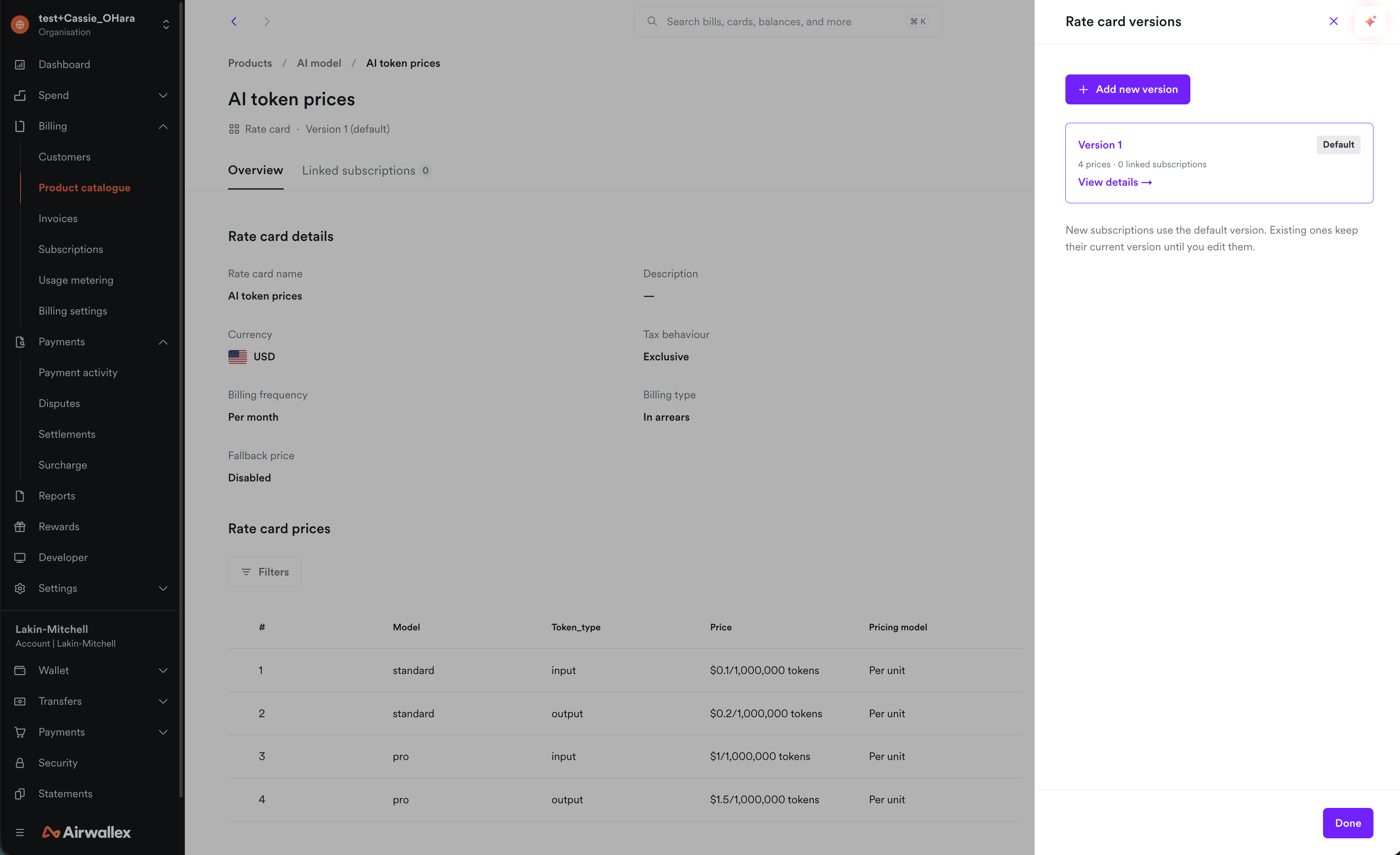
A rate card is versioned. Each version is a snapshot of dimension keys and an ordered list of rows.
- You choose the rate card and the version when you add it to a subscription or checkout. Publishing a new version does not change subscriptions already pinned to another version.
- You can edit a version in the web app until a subscription or checkout uses it. After that, the version is fixed. In the API, a version cannot be changed after it is created.
- A new version can append dimension keys. Existing keys stay in the same order and cannot be removed or renamed. Subscriptions stay on the version they were pinned to until you migrate them.
To change pricing for existing customers, publish a new version and migrate the subscriptions that should use it.
Subscriptions and checkout
Subscriptions and checkouts attach a rate card and a version as the line-item pricing source. The rows inside a rate card are not offered as standalone prices. A subscription can mix a rate card line item with standalone price line items.
When a subscription's pinned version changes during an active billing period, the change time splits the period into two parts for every row. Usage before the change is billed on the previous version. Usage after the change is billed on the new version. Volume and graduated tier totals reset at that time for every row, including rows whose rate did not change. Change the version at a billing-cycle boundary to avoid resetting tiers in the middle of a cycle.
Invoices
The invoice includes one line for every row on the pinned rate card version, including rows with zero usage. A row that uses * for a dimension bills all of the usage it matches on that one line. Usage billed at the fallback price appears as a line named Other usage. Unpriced usage does not appear on the invoice.
See also
To deepen your understanding or see how this concept applies in practice, refer to:
- Concepts:
- How-to guides: