Credit notes
Issue credit notes to reduce or refund amounts on finalized invoices.
Use Airwallex Billing to adjust or refund finalized invoices by issuing a credit note. Credit notes can be issued via the web app or the Billing APIAPI.
What is a credit note?
A credit note is a financial document issued to reduce or reverse the amount of a finalized invoice.
It is typically used to:
- Correct errors on an invoice
- Reverse charges for returned or cancelled goods/services
- Apply post-invoice discounts
- Refund customers (fully or partially)
A credit note always references an existing finalized invoice and reduces the outstanding or paid amount associated with that invoice.
When should you issue a credit note?
You should issue a credit note when:
- A customer has been overcharged
- Goods or services were cancelled after invoicing
- You need to apply a discount after the invoice was finalized
- A refund is required for a paid invoice
- You want to credit the customer balance for future use
Note: Credit notes can only be issued against finalized invoices.
What impact does the credit note have on invoices?
Issuing a credit note affects the following:
Invoice balance
- For unpaid invoices: A credit note reduces the
amount_due - For paid invoices: A credit note will refund the paid invoice amount via the original payment method
Payment status
- An open invoice can move from
unpaidtopaidif the credit note fully offsets the amount due - A partially credited invoice remains
unpaidwith a reduced balance
Refunds for paid invoices
- For paid invoices, credit can either:
- Be refunded to the original payment method
- Be recorded as an out-of-band refund (processed outside Airwallex)
Credit note records
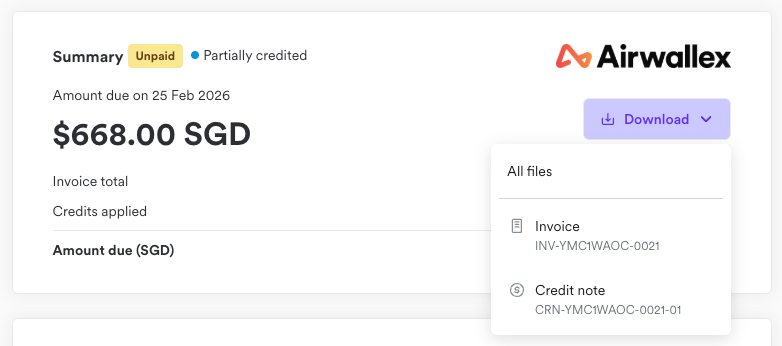
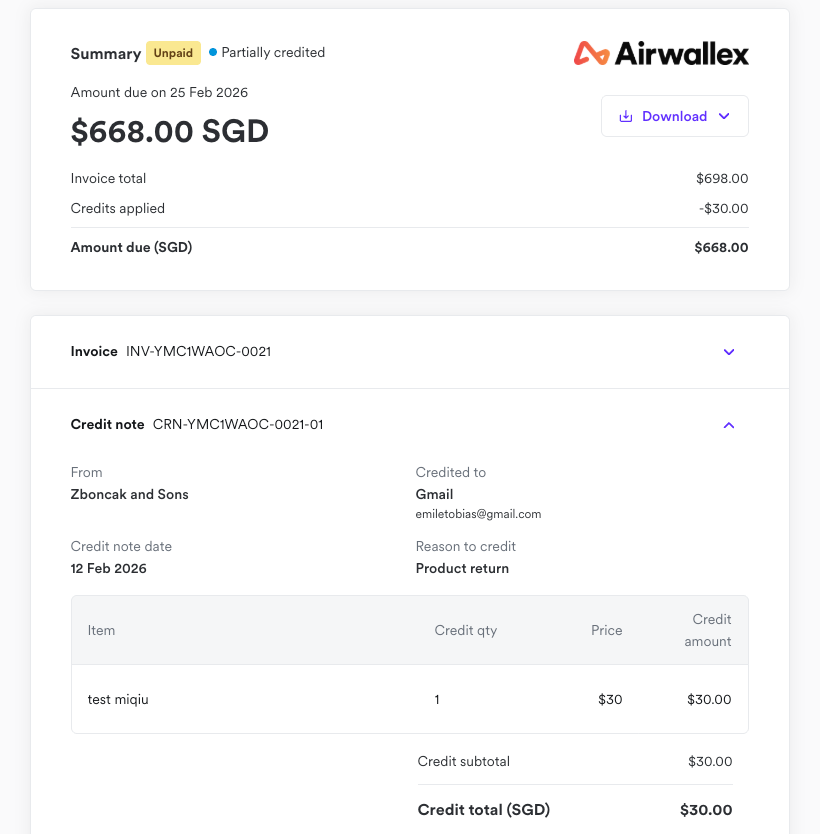
- Credit notes appear as separate financial documents linked to the original invoice
What information is included in a credit note?
When you issue a credit note, Airwallex automatically issues the credit document, links it to the original invoice, and recalculates the affected amounts
A credit note includes:
| Field | How it is handled |
|---|---|
| Original invoice reference | Automatically linked to the invoice being credited |
| Credit note number | Automatically generated unique identifier |
| Issue date | Automatically set at creation (editable if needed) |
| Currency | Inherits the currency of the original invoice |
| Line item adjustments | Determined by the credit amounts or quantities you specify |
| Tax calculation | Automatically recalculated based on credited line items, or manually specified for custom amount adjustments |
| Reason | Optional field for audit trail and reporting clarity |
You only need to specify what is being credited (custom amount or quantity). Airwallex handles the remaining calculations and record-keeping automatically.
Applying credit
When creating a credit note, you can apply credit in the following ways:
- Reduce the quantity of an invoice line item
- Add a custom credit line item (for example, goodwill discount)
Recommendation: Adjust line items directly for clearer financial reporting and reconciliation.
Creating a credit note in the web app
To issue a credit note from the Airwallex web app:
- Go to Billing → Invoices
- Open the finalized invoice you want to adjust
- Click Issue credit note
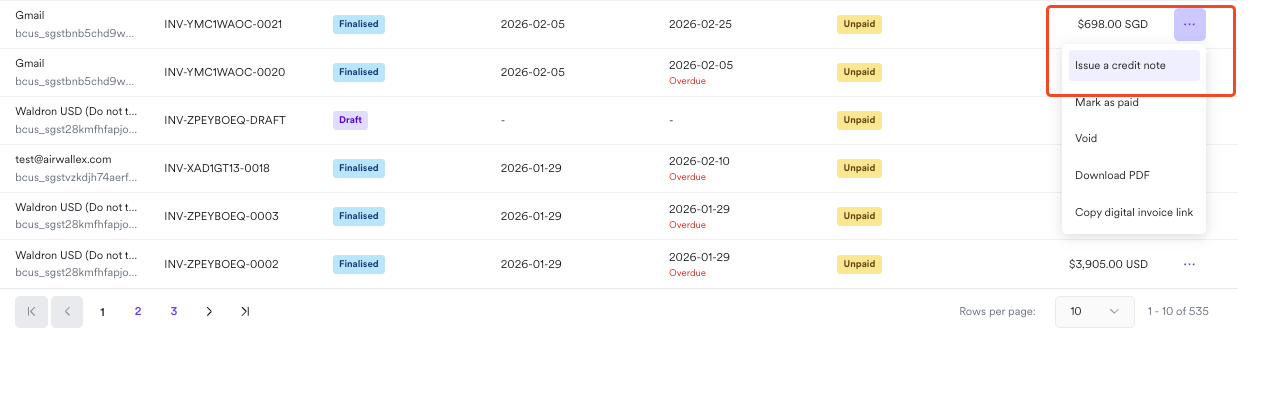
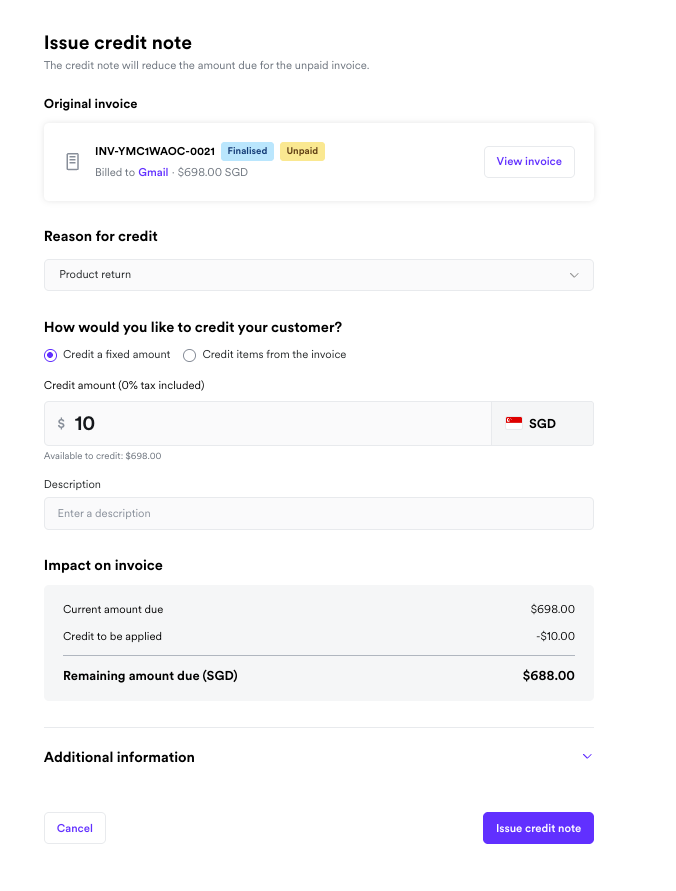
This opens the Issue credit note screen.
- Choose how you want to apply the credit:
- Credit a fixed amount
- Credit items from invoice
- Review the credit amount and tax calculation
- Select how to apply the credit (if the invoice is already paid):
- Refund to payment method
- Manage refund out-of-band
- Confirm and issue the credit note
Once issued, the credit note will be linked to the original invoice.
Creating a credit note via API
You can create credit notes programmatically using the Billing APIAPI.
Use the corresponding endpoints to retrieve or list existing credit notes.
Voiding credit notes
A credit note can be voided if it has not yet been fully applied or refunded.
Voiding a credit note:
- Reverses its financial impact
- Restores the invoice balance accordingly
- Updates reporting records
You can void a credit note via:
- Web app: Open the credit note → Click Void
- API: Call the Void Credit Note API
Customer access to credit notes
Customers can view credit notes associated with their invoices on the Digital Invoice Page and download them as PDF files directly from the same page.