Capturing Partial Amount of Authorized Payment
How to capture a partial amount of authorized payment
Partial Capture
Magento allows you to capture a partial amount of an authorized payment. This supports common use cases such as partial fulfillment of orders where you'd want to charge only for the items actually fulfilled. The way Magento handles partial capture is by allowing you to invoice a partial quantity of the original order.
Partial capture is available only for the following payment methods:
- Cards (including Express Checkout)
- Klarna
- Afterpay/Clearpay
Requirements
In order to do this, you need to have the following setup:
- In the Airwallex payment method configuration, the "Capture preference" field is set to "Authorize only".
- Products are configured in the required granularity. For example, if you are selling a product by weight, then each quantity should correspond to the most granular unit of weight you allow to be sold.
How to capture a partial amount
-
In the Magento Admin Panel, go to the Sales > Orders page.
-
Find the order you want to capture a partial amount for and click on View.
-
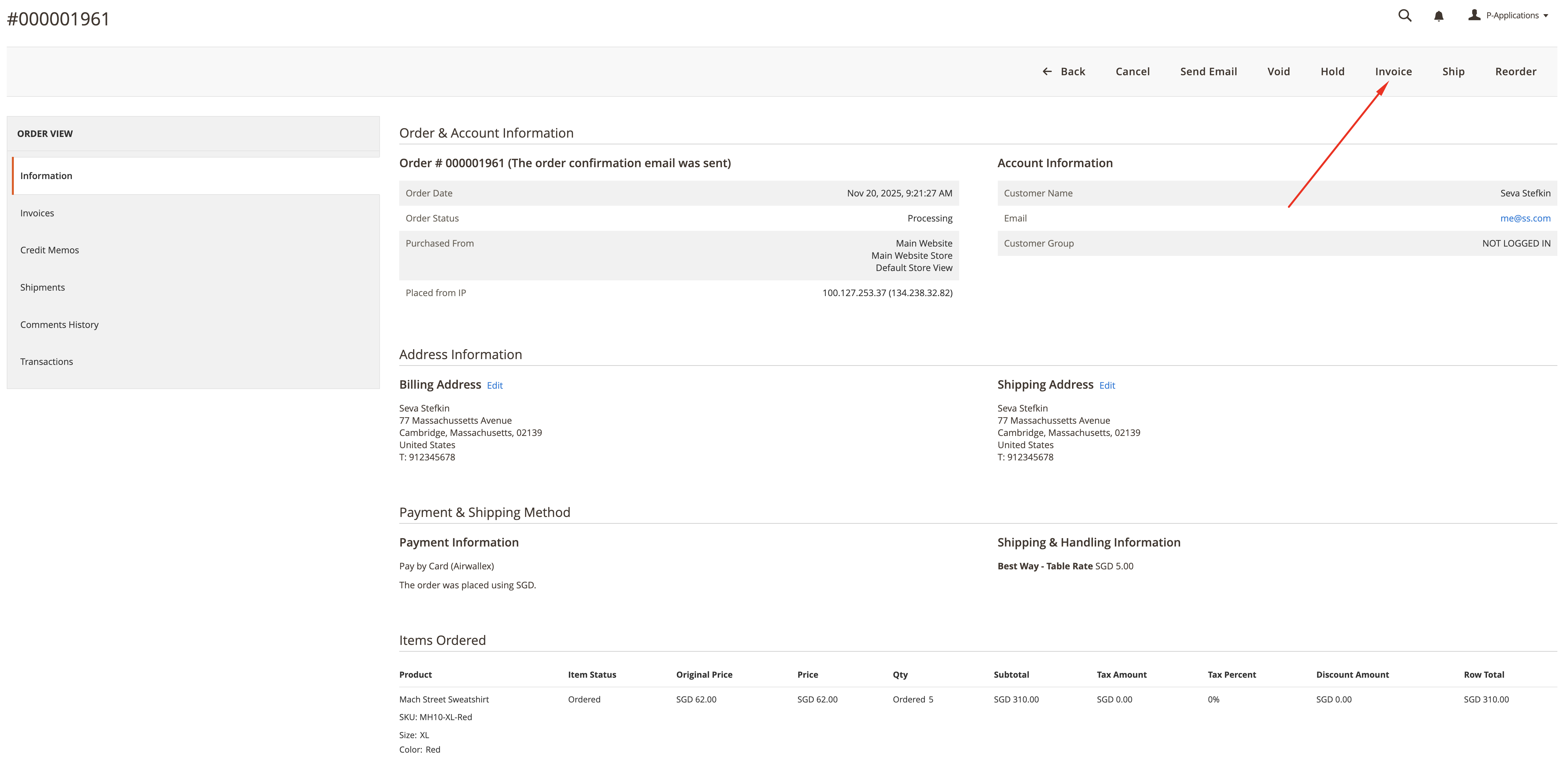
In the order details page, click on Invoice.
-
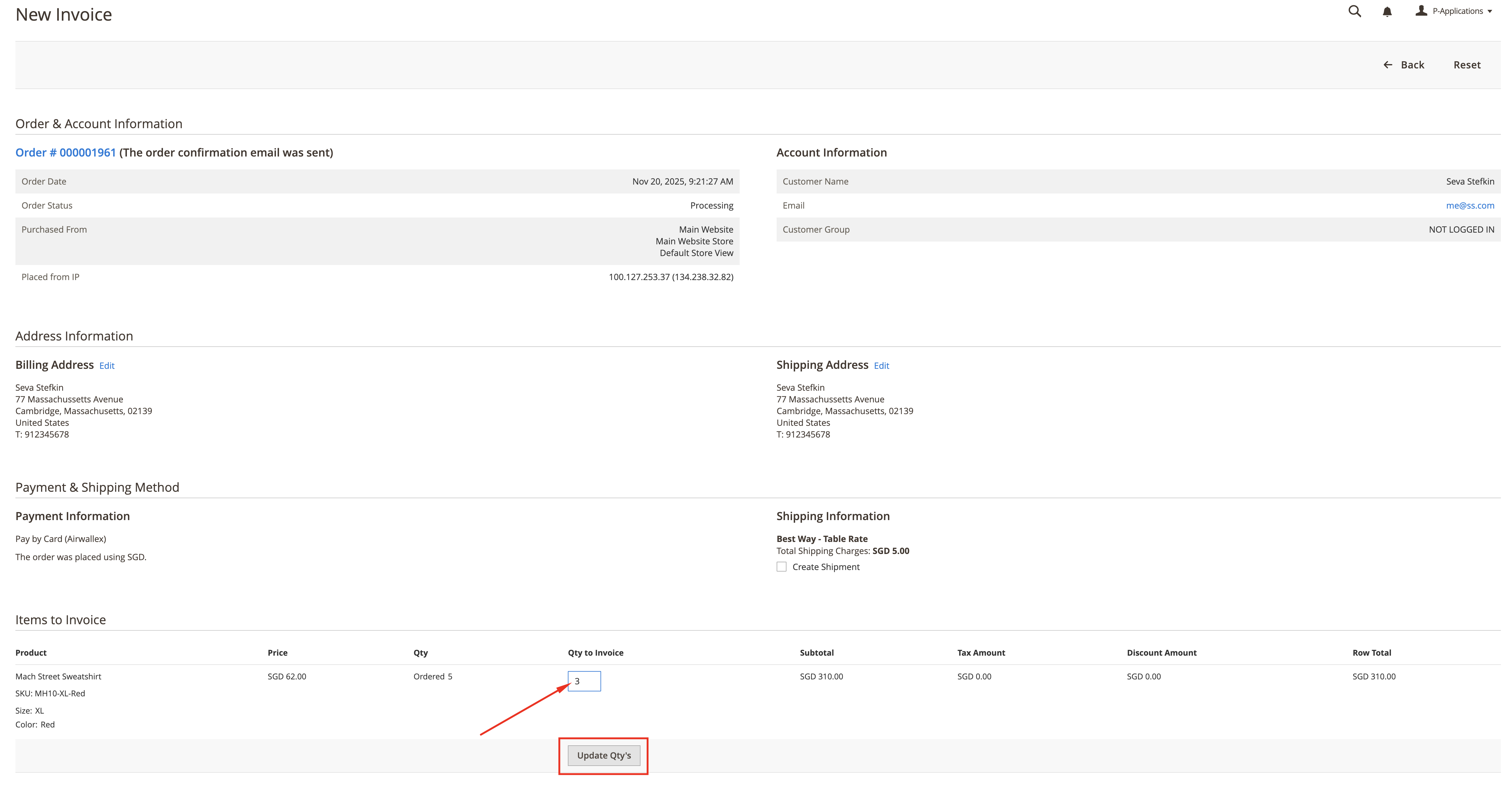
Edit the "Qty to Invoice" field to the desired quantity to be invoiced.
-
Click on the Update Qty button, and then click on Submit Invoice.