

Install Airwallex Sales Order App
Easily sync your order data from Shopify to fulfil regulatory requirements, sync details like order ID and tracking information to Airwallex
Follow these steps to install the Airwallex sales order app to sync order data from your Shopify store to Airwallex
Requirements
- You must have a valid and activated Airwallex account.
- You must be processing your store transactions with at least one of Airwallex's Payment Apps.
- Fill up the form with your account ID and store link.
Installation and Configuration
-
Login to Airwallex .
-
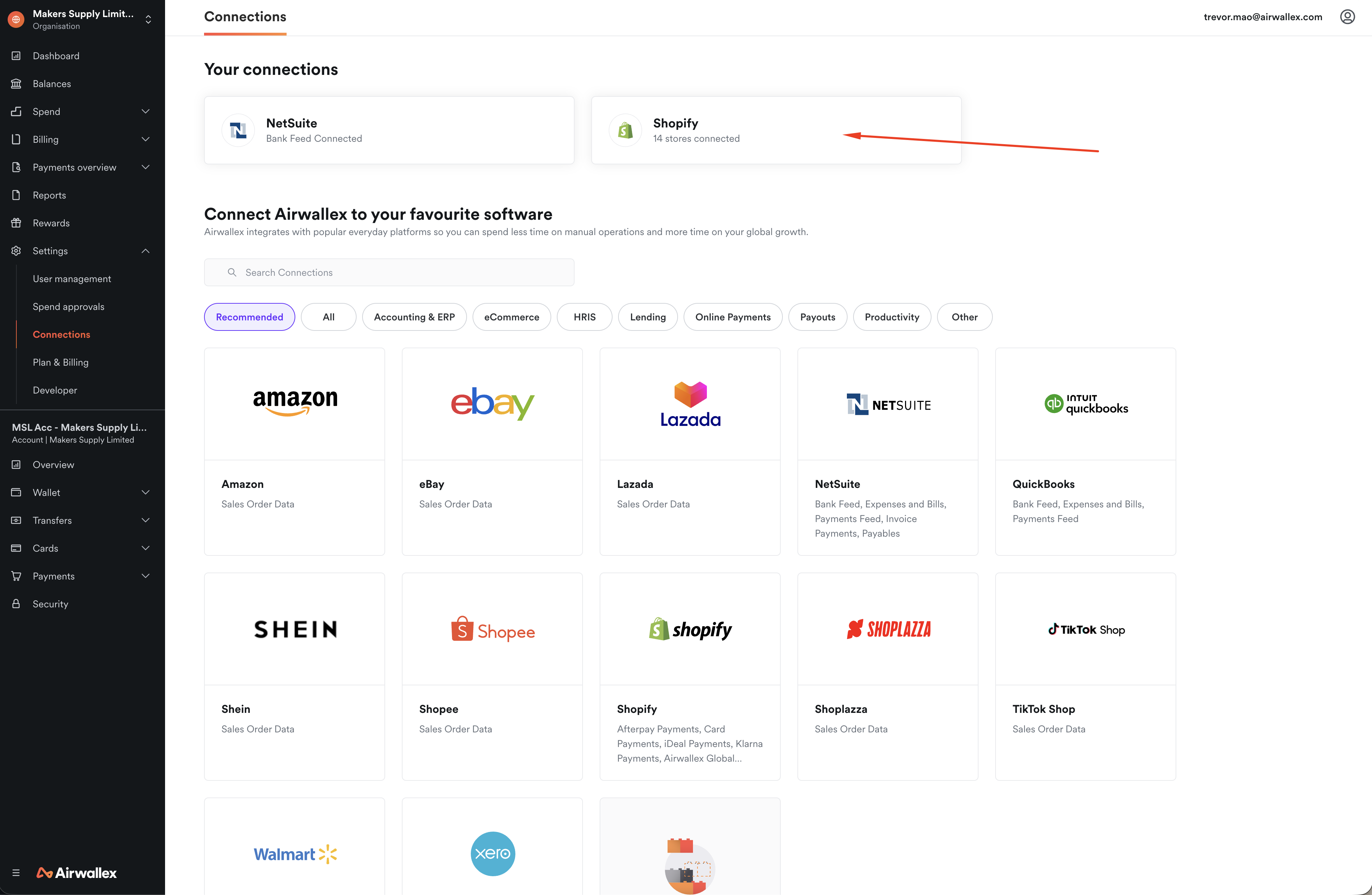
Go to Settings > Connections > Shopify.
-
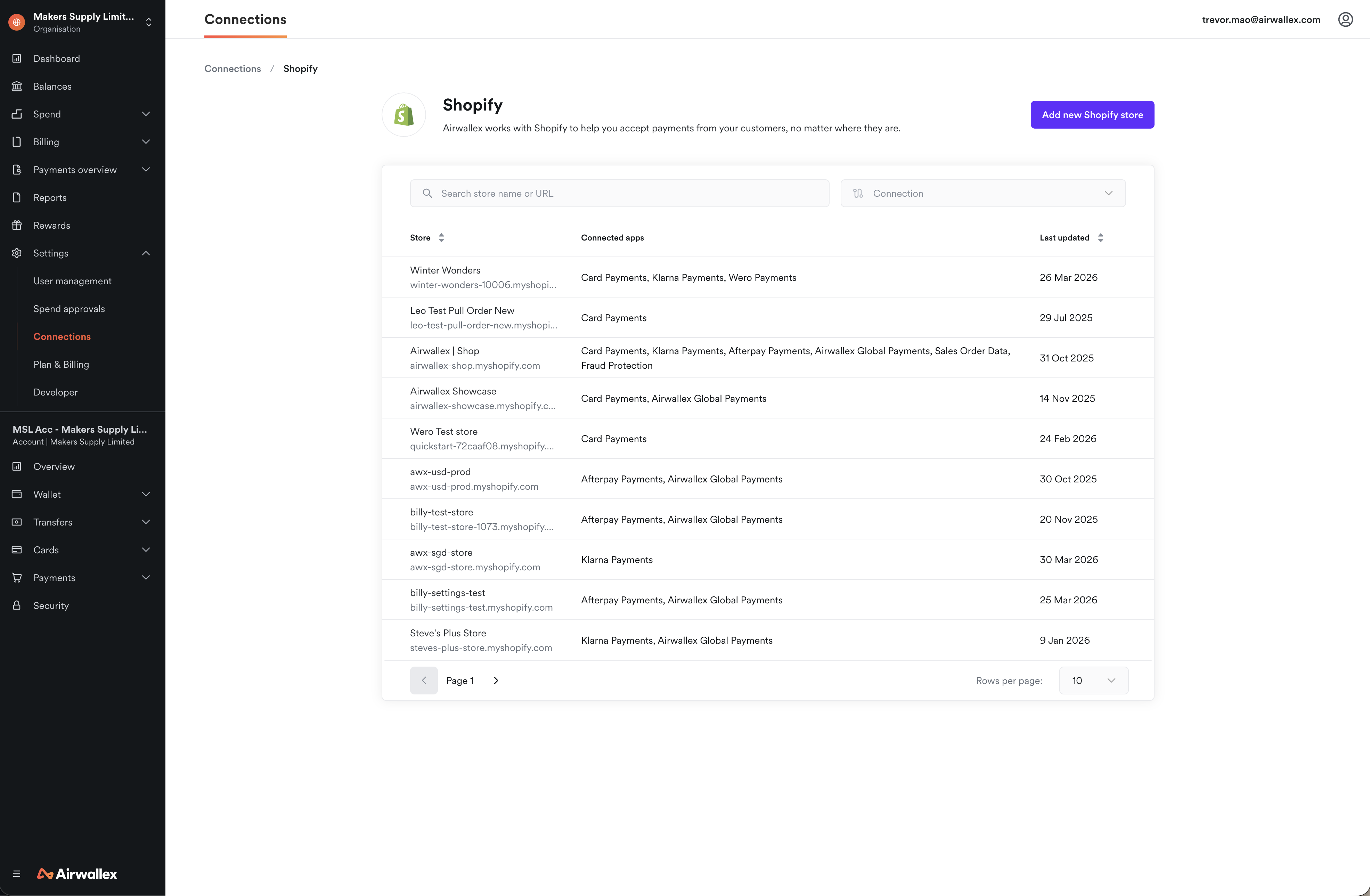
Select the store you want to connect the Sales Order App to, or connect a new Shopify store.
-
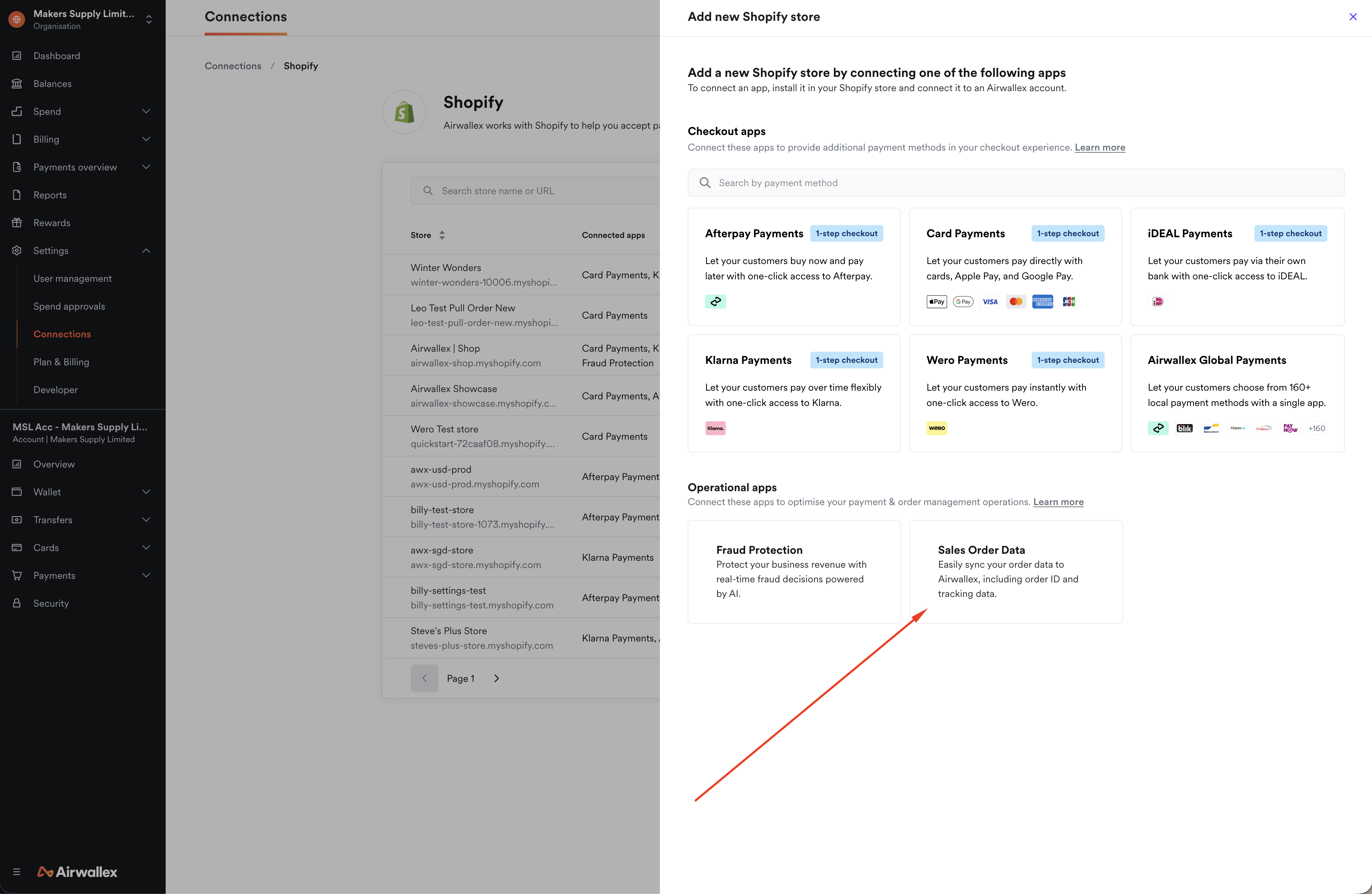
Under Operational apps, choose Sales Order Data. Then click Get started.
-
Select the Airwallex account to connect to Shopify, and if prompted enter your myshopify domain. If you are unsure what is your myshopify domain, you can access this from your Shopify Admin > Settings > Domains.
-
Click Connect.
How to view order ID and tracking information
-
Viewing order ID You will now be able to view your Shopify Order ID in your Airwallex WebApp under the Order ID column. An example is shown below.

-
Viewing tracking information If you had updated any relevant tracking information on Shopify or any other integration, it will also now be populated to Airwallex. For compatible payment methods like Klarna, the tracking information will also be reflected to your customers. An example is shown below in the WebApp view.

How to update tracking information in Shopify
You can update tracking information in Shopify either manually or automatically. This information will then sync to Airwallex to help with compliance and dispute management.
1. Manual Update
You can manually add tracking numbers to orders as you fulfill them.
2. Automated Update (Recommended)
To automate this process, you can use third-party apps from the Shopify App Store. These apps automatically import tracking numbers from your shipping carriers and update your order statuses. Some popular options include:
- Order Tracking by TrackingMore : Automatically imports tracking numbers and updates order statuses.
- Parcel Panel Order Tracking : Provides automatic parcel tracking and delivery notifications.
- Tracktor Order Tracking : Offers professional-grade order status and package tracking integrated with major carriers.
Using an automated solution ensures tracking data is synced promptly, providing a better experience for your customers and ensuring Airwallex has the most up-to-date information.
Reconciliation Resources
If you are looking for information on how to reconcile your orders or understand why pre-chargebacks might not appear in Shopify, please refer to our Reconciliation Guide .