

Bill payments
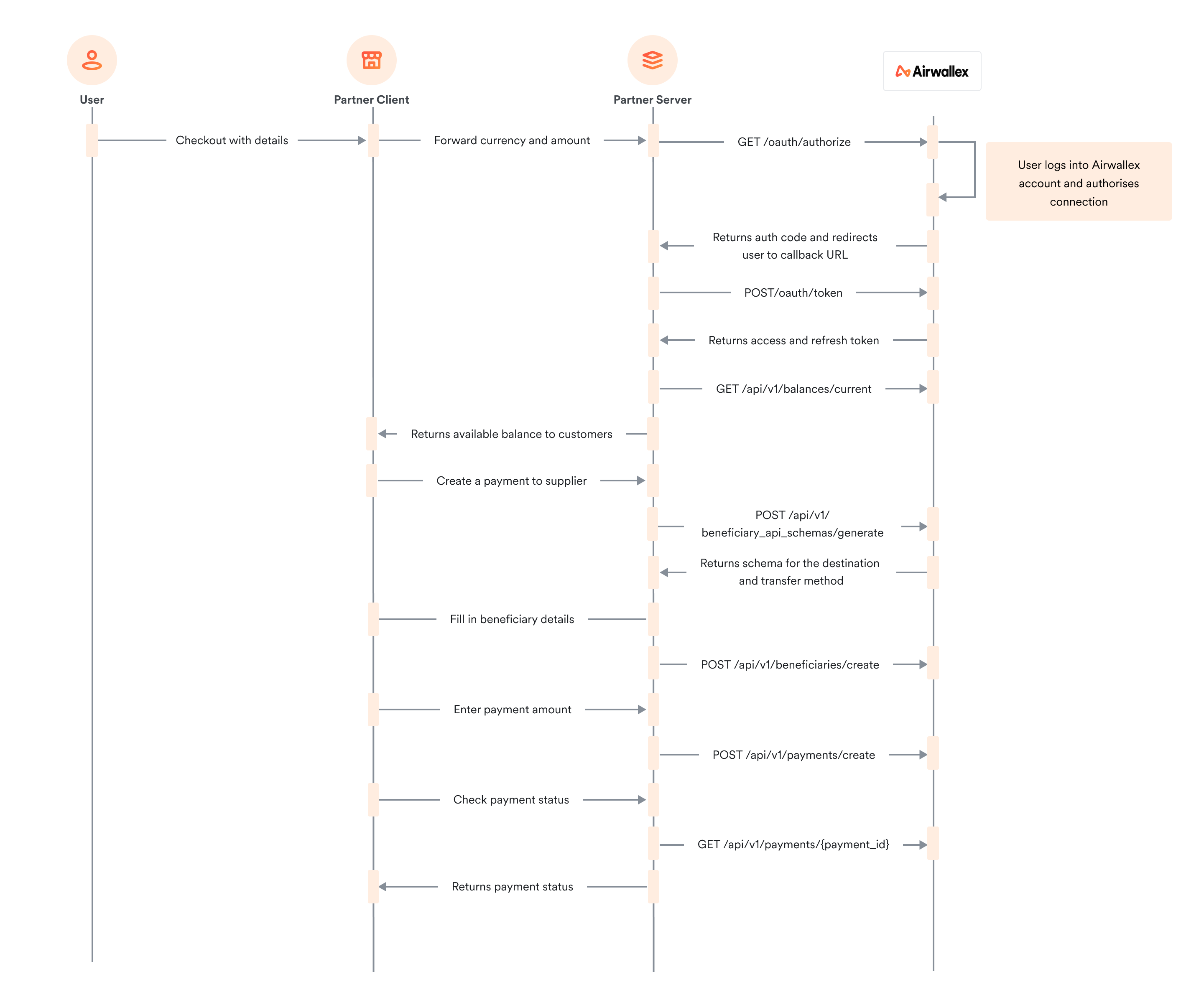
A typical use case involves paying vendor bills on ERPs or accounts payable management software through a connected Airwallex account. Customers will upload bills to your platform, undergo an approval process, and seamlessly execute payouts to vendors through integration with Airwallex. This eliminates the need to manually enter vendor payment details and initiate transfers via the Airwallex web app.
To build such an integration, you will need the following OAuth scopes:
account_details:readbalance:readbeneficiary:writetransfer:write
Make sure that you add the header x-api-version in your API calls and set it to the latest version. For details, see VersioningAPI.
To enable bill payments:
- Check that the customer has sufficient funds in their account using the Get current balancesAPI endpoint.
- Create a beneficiary for the vendor with their payment details (e.g. bank account numbers), if you have not previously created one. Beneficiary records on Airwallex can be re-used across multiple payouts. Call Create a beneficiaryAPI to do this — note that the fields required to create a beneficiary vary significantly across regions and destination bank account types, so you can use Get the API schemaAPI endpoint to obtain the correct schema for a given region and destination bank account type combination.
- Once you have a valid beneficiary, create the payout with the amount of the bill to be paid by calling Create a transferAPI.
- Sometimes the payout may be subject to additional review, in which case the status of the payout will not be immediately successful. To obtain the most up-to-date status of the payout, call Get a transfer by IDAPI with the Payout ID from the previous step.
Was this page helpful?