

Invoicing and payment links
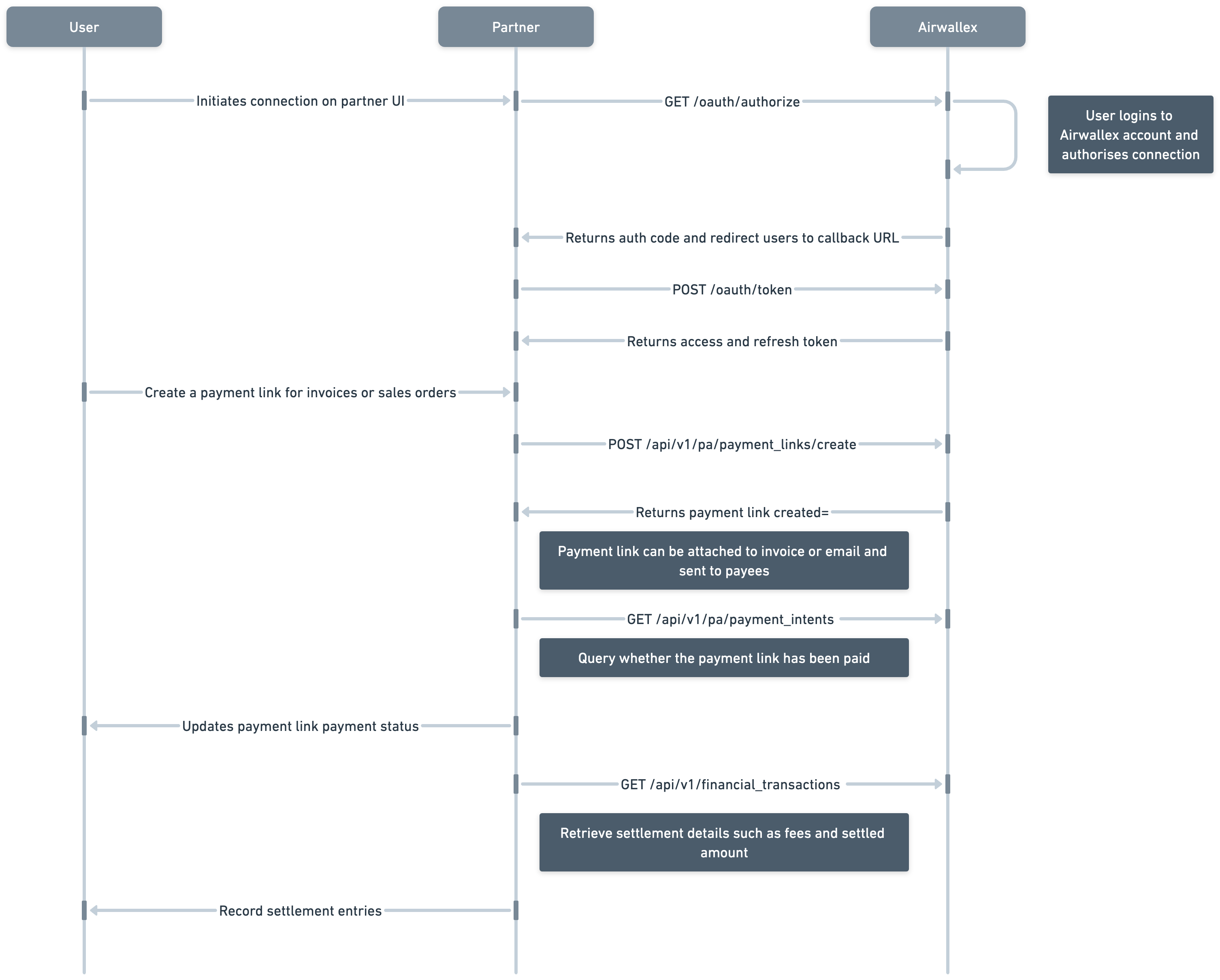
Another common use case is allowing merchants or businesses to issue invoices and receive payments from their customers around the world via payment links. Airwallex supports payment methods ranging from international cards to popular local payment methods.
To enable payment acceptance via payments link, you will need the following OAuth scopes:
payment_link:readpayment_link:write
Make sure that you add the header x-api-version in your API calls and set it to the latest version. For details, see VersioningAPI.
To generate a payment link for your invoices:
- Create a payment link by calling Create a payment linkAPI. Payment links support two pricing options: fixed pricing where customer must pay the exact amount in the given currency, and flexible payment where customer can pay in any of the supported currencies.
- Once a payment link is created, you can call Send a payment linkAPI to have the payment link emailed to a specified email address.
- To track payments, Airwallex sends a
payment_intent.succeededwebhook that you can use for subsequent fulfillment and reconciliation purposes. See Notifications and workflow automation for more information on setting up webhooks. - Check the status of the PaymentIntent by calling Get PaymentIntentAPI.
Was this page helpful?